
Reviews
Ihre Grafiken verleihen meinen Präsentationen eine nette Note, und ich habe sie kürzlich für eines meiner All-Hands-Meetings verwendet. Ihre Toolbox verleiht meinen Folien Professionalität, anstatt Standard-Clipart zu verwenden.
Ich brauchte einen neuen Blick auf einige meiner Folien. Ich habe versucht, einen Weg zu finden, einen Pinselschlag-Effekt zu erzielen, um zu unterstreichen, hervorzuheben, Farbe hinzuzufügen, und die handgeschriebenen Markierungen waren genau das Richtige. Sehr einfach zu bedienen, leicht in der Größe zu ändern, die Farbe zu ändern. Es war eine erschwingliche, perfekte Lösung und ich empfehle sie gerne weiter.
Die klare, saubere Optik der Grafiken und die Tatsache, dass ich die Farben leicht bearbeiten und an die Vorlage anpassen konnte, war mein Hauptgrund für den Kauf.
Description
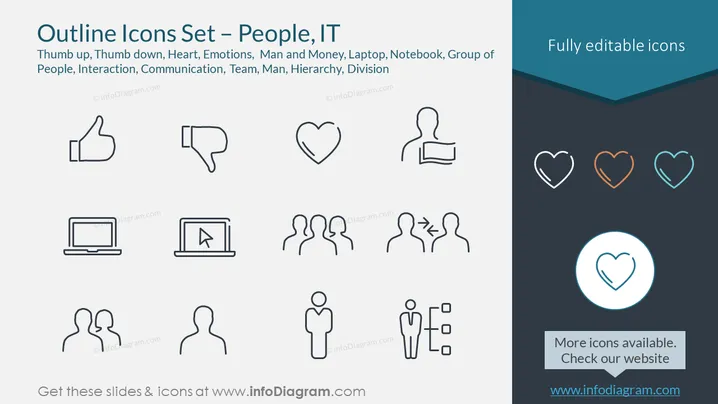
Outline Icons Set – People, IT
Slide Content
The PowerPoint slide displays a collection of outline icons related to people and information technology themes. Each icon is a minimalist depiction of various concepts such as approval ('Thumb up'), disapproval ('Thumb down'), affection ('Heart'), human emotions, financial aspects of human representation ('Man and Money'), digital devices ('Laptop', 'Notebook'), and social dynamics ('Group of People', 'Interaction', 'Communication', 'Team', 'Man', 'Hierarchy', 'Division'). These symbols serve as visual shorthand for complex ideas, facilitating quicker comprehension in presentations.
Graphical Look
- The slide background is a flat, light gray color.
- There is a title in the upper left corner using a large, bold font.
- Below the title, there's a subtitle in a smaller font that lists the themes of the icons.
- The slide displays a two-column layout with icons distributed evenly across.
- Icons on the left column are black, while icons on the right column are colored (heart shapes in different colors and one heart icon highlighted with a circular blue background).
- The icons exemplify a simplistic and modern outline design style.
- Each icon is centered above a short descriptor text label.
- The upper right corner features a dark banner with the text "Fully editable icons" written in white.
The slide has a clean and modern design with a strong visual hierarchy that directs the viewer's attention from the title to the icons and their respective labels. The contrast between the colored and non-colored icons adds variety to the visual presentation.
Use Cases
- Utilized in business presentations to illustrate concepts in human resources, such as team dynamics or employee feedback.
- Employed in technology-related presentations to visually represent digital tools and interactions.
- Integrated into marketing materials to convey customer emotions or social media engagement.
- Adopted in educational settings to visually explain various social and technological concepts in a clear and simplistic manner.
How to Edit
How to edit text & colors

How to expand / shorten diagram

How to Replace Icons in infoDiagram PPT


