
Reviews
Sus gráficos añaden un toque agradable a mis presentaciones y recientemente los usé para una de mis reuniones generales. Su conjunto de herramientas añade profesionalismo a mis diapositivas. En lugar de usar imágenes prediseñadas estándar.
Necesitaba un aspecto fresco para algunas de mis diapositivas. Había intentado encontrar una forma de crear un efecto de pincel, de subrayar, acentuar, añadir algo de color y los marcadores escritos a mano fueron justo lo que necesitaba. Muy fácil de usar, fácil de ajustar el tamaño, cambiar el color. Fue una solución asequible y perfecta, y estoy feliz de recomendarla.
El aspecto nítido y limpio de los gráficos, y el hecho de que me permitiera editar y cambiar fácilmente los colores para que coincidieran con la plantilla fue mi principal razón para comprarlos.
Description
Outline Icons Set — NPS Customer Symbols
Slide Content
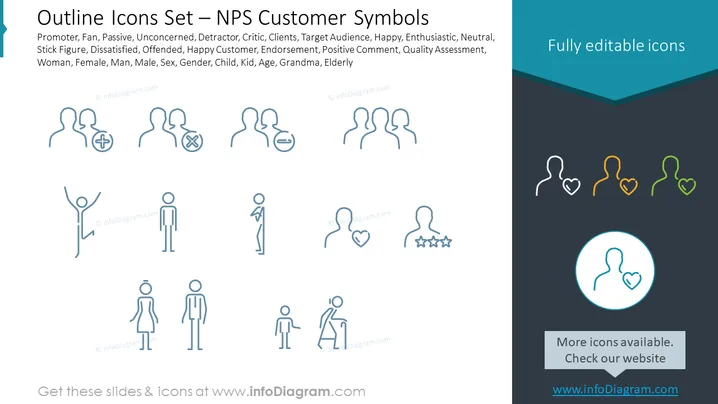
The slide is a collection of customer-oriented icons designed for categorizing feedback in terms of the Net Promoter Score (NPS) methodology. Icons representing Promoter, Fan, Passive, Unconcerned, Detractor, and Critic suggest different levels of customer satisfaction and likelihood to endorse a product. Additionally, icons for target audience demographics such as Woman, Female, Man, Male, Child, Kid, Grandma, and Elderly provide visual cues to discuss customer segments.
Graphical Look
- The slide background is white with a blue graphical element in the top right corner.
- A title is displayed at the top of the slide in bold, black font.
- Two rows of icons are arranged below the title.
- Icons are outlined drawings representing people with various symbols like plus, minus, and heart shapes.
- The color scheme for the icons is monochromatic (shades of blue), with four icons in the top right highlighted in different colors (yellow, orange, green).
- One highlighted icon is encircled and enlarged at the bottom right corner.
- Each icon represents a different customer sentiment or demographic.
The overall look of the slide is clean and professional, with a minimalistic design focusing on easy-to-interpret symbols. The use of color highlights is subtle and directs attention to specific icons.
Use Cases
- Evaluating customer sentiment during a business presentation on service or product feedback.
- Segmentation of customer demographics in a marketing strategy meeting.
- Training employees on interpreting customer feedback using NPS categorization.
- Enhancing visual communication in reports on customer satisfaction and market research.
How to Edit
How to edit text & colors

How to expand / shorten diagram

How to Replace Icons in infoDiagram PPT


