
Reviews
Your graphics add a nice touch to my presentations and I recently used them for one of my all-hands meetings. Your toolbox adds professionalism to my slides. Instead of using standard clipart.
I needed a fresh look at some of my slides. I've tried to find a way to create a paintbrush effect, to underline, accentuate, add some color and the handwritten markers were just the things. Very easy to use, easy to size, change the color. It was an affordable, perfect solution and I'm happy to recommend it.
The crisp, clean look of the graphics, and the fact that it allowed me to easily edit and change the colors to match the template was my main reason for purchasing them.
Description
Outline Icons Set — HR Recruitment
Slide Content
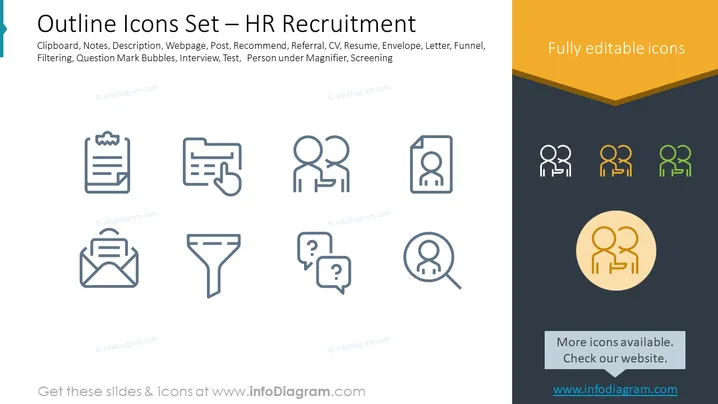
The PowerPoint slide titled "Outline Icons Set — HR Recruitment" presents a collection of icon graphics related to the human resources and recruitment process. These include: a Clipboard (for documenting process or checklist), Notes (for additional information or reminders), Description (detailing job roles or responsibilities), Webpage (for online job postings or company careers page), Post (likely for job advertisement or updates), Recommend (for suggesting candidates), Referral (using networks to source candidates), CV (curriculum vitae or resume submission), Resume (listing of applicant's qualifications), Envelope (communication or application submission), Letter (written correspondence), Funnel (representing filtering or shortlisting of candidates), Filtering (narrowing down the candidate pool), Question Mark Bubbles (for inquiries or FAQs), Interview (candidate assessment), Test (for evaluating candidate skills), Person under Magnifier (scrutiny or background checks), and Screening (final review before hiring). These icons serve as visual shorthand for various stages and elements of the hiring process.
Graphical Look
- The slide has a clean and modern design with a dominant white background.
- On the top left, there's a teal-colored stripe that acts as a visual anchor for the slide title which is in large, dark text.
- The icons are organized in a grid layout with three columns and six rows.
- Each icon is a simple, outline-style graphic in dark grey color, which makes them appear uniform and easily recognizable.
- The icons have labels underneath them in a smaller grey text, describing each function in the recruitment process.
- In the top right corner of the slide, there is a text box with an orange background and white text stating "Fully editable icons".
- The bottom right features a circular graphic with a human silhouette, which is highlighted with a contrasting yellow backdrop and shadow effect to stand out.
The visual composition is straightforward and professional, with a focus on clarity and ease of understanding. The use of color is minimal, employing a simple palette that highlights specific elements without overwhelming the viewer.
Use Cases
- Explaining the recruitment process stages during internal HR training sessions.
- Illustrating the hiring workflow in presentations to management or during process optimization discussions.
- Enhancing recruitment strategy reports with visual icons for clear communication of concepts and stages.
- Offering a visual guide during stakeholder meetings to discuss improvements or changes in the HR recruitment funnel.
How to Edit
How to edit text & colors

How to expand / shorten diagram

How to Replace Icons in infoDiagram PPT


