Outline Icons Set for Pie Charts – Sales & Logistics
Slide Content
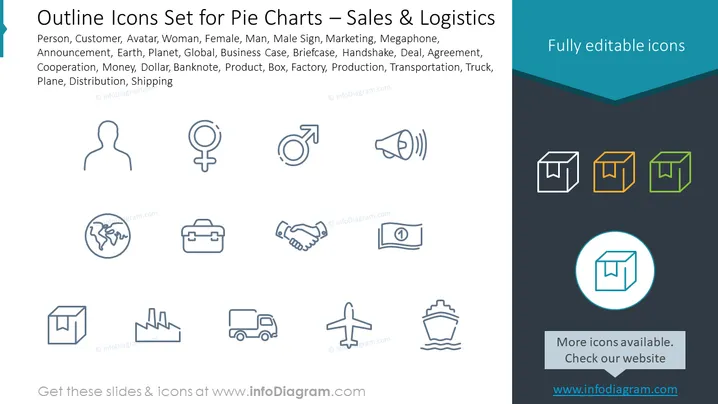
This PowerPoint slide presents a collection of outline icons themed around sales and logistics. These icons symbolize various concepts such as Person, Customer, Avatar, Woman, Female, Man, Male Sign, Marketing, Megaphone, Announcement, Earth (representing global reach or international business), Planet, Business Case, Briefcase (potentially symbolizing professionalism or business preparedness), Handshake (indicating agreement or cooperation), Deal, Agreement, Cooperation, Money, Dollar, Banknote (suggesting financial transactions or economic aspects), Product, Box, Factory (symbolizing manufacturing or industrial processes), Production, Transportation, Truck (indicating shipping or distribution), Plane, and Distribution. Each icon serves as a visual aid to represent these different elements in presentations related to business development, strategy, and logistics.
Graphical Look
- The slide's background is split diagonally from the top right to the bottom left, with the top section in white and the bottom in dark teal.
- A turquoise ribbon banner spans across the top with the title text "Outline Icons Set for Pie Charts – Sales & Logistics" aligned to the left.
- Below the title, there is a dark grey text box with a list of keywords related to the icons in white font.
- On the white section of the slide, there are twelve outline icons arranged in a grid format, three rows with four icons each.
- In the dark teal bottom section, three icons depicting boxes are aligned horizontally, each with a different color fill to signify selection options.
- The rightmost side of the slide features a turquoise-colored box with the text "Fully editable icons" aligned to the right.
- Each icon is simple, utilizing minimal lines to convey the essence of the concept it represents.
The slide has a clean and modern look, with the icons featured prominently against a contrasting background. The use of a color-highlighted area for selectable/editable options adds a touch of interactivity to the overall design.
Use Cases
- To enhance visual communication in business presentations related to sales, marketing, or logistics.
- To create pie charts or infographics that require iconography for clearer representation of different market segments or logistical components.
- For use in training materials to visually represent different roles, processes, or concepts within sales and logistics departments.
- As part of proposal documents to potential clients, where icons can serve as a simple visual language to convey services related to sales and distribution.