
Reviews
Deine Folien sind meine 'geheime Zutat', wenn es darum geht, meine Ideen Kunden zu visualisieren. Ich spare so viel Zeit.
Ihre Folien führen oft zu guten Kommentaren und Ideen meines Teams, die die endgültigen Folien verbessern.
Description
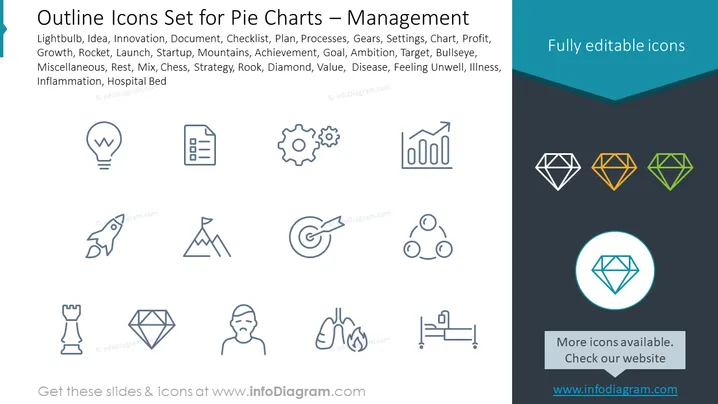
Outline Icons Set for Pie Charts – Management
Slide Content
The PowerPoint slide presents an array of outline icons that are designed for utilization within pie charts, specifically in the context of management-themed presentations. The icons represent a wide array of business and management concepts such as Innovation, Growth, Strategy, and Value, among others. Each icon, ranging from a Lightbulb (indicating Idea or Innovation) to a Hospital Bed (denoting Health or Infirmity), conveys a distinct aspect of business operations or strategy which can be used to visually enhance the conveyance of data or strategy in a presentation.
Graphical Look
- The slide has a clean, minimalist design with a dark grey background.
- The title "Outline Icons Set for Pie Charts – Management" is in the upper left in white with a blue-green decorative underline.
- Icons are outlined in a light grey and arranged in a grid of four rows and three columns.
- The icons include recognizable symbols such as a Lightbulb, Document, Gears, Chart with upward trend, Rocket, Mountain Peak, Chess Rook, Bullseye Target, Network of three connected dots, Diamond, Figure with flames around (representing disease or feeling unwell), and Hospital Bed.
- In the upper right corner, there is a ribbon banner with the text "Fully editable icons," written in white against a blue-green background.
- A set of diamond icons in three different colors (grey, orange, and green) is along the right edge, with one highlighted by a circle.
- At the bottom, a rectangular call-to-action box with the text "More icons available. Check our website" placed over the grey background.
The slide has a professional appearance with a clear focus on the icons. The color palette is subdued, utilizing shades of grey, blue-green, and muted colors for the highlight elements, which makes the icons stand out against the background.
Use Cases
- For illustrating different sectors or components of a business in a pie chart, such as marketing, R&D, sales, etc., using thematic icons.
- To visually represent various strategic elements in a business presentation, like goals, challenges, or achievements.
- To enhance the readability and retention of information in training materials for management processes or skills.
- As a visual aid in financial reports or investment proposals to symbolically represent different types of expenses or revenue streams.
How to Edit
How to edit text & colors

How to expand / shorten diagram

How to Replace Icons in infoDiagram PPT


