Outline Icons Set for CX — Finance
Slide Content
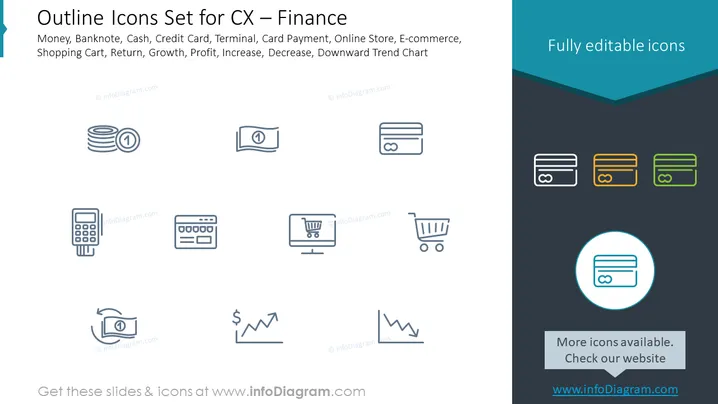
This PowerPoint slide is titled 'Outline Icons Set for CX — Finance'. It showcases various finance-related icons that depict essential elements in customer experience and financial transactions. These include Money, represented by stacked coins, highlighting the concept of physical currency used for transactions; Banknote, depicted as a single bill, to convey the idea of paper currency; Cash concept is suggested by a stack of three coins; Credit Card is visualized by the typical rectangular card icon, indicating electronic forms of payment; Terminal, resembling an electronic payment device, often used in retail for card transactions; Card Payment, a side view of a card being swiped, representing transaction authorization via card; Online Store, symbolized by a computer monitor with a shopping cart, alluding to e-commerce platforms; E-commerce, denoted by a shopping cart, illustrates the buying and selling of goods or services on the internet; Shopping Cart, referencing consumer purchases; Return, depicted with a reverse arrow, indicating the process of returning purchased goods; Growth, showcased with an upwards trend line, symbolizing increase in economic metrics like sales or value; Profit, similarly with an upwards arrow, indicating financial gain; Increase, also conveyed with an upward trend, represents the improvement or rise in certain performance measures; Decrease, expressed by a downward trend line, which demonstrates a reduction in figures or performance; Downward Trend Chart, clearly marking negative financial progressions. Each icon serves to visually communicate financial concepts in a straightforward and easily recognizable manner.
Graphical Look
- The slide is in landscape orientation with a dark gray background that splits into a lighter shade towards the top.
- At the top left, there is a title in large, light blue font with a decorative blue tab on the left edge.
- Below the title are three rows of icons, each row containing four icons related to financial transactions or concepts.
- The icons are simple, monochrome, and outlined against the dark background to stand out.
- A section on the right-hand side stands out with a contrasting dark teal background and three differently colored credit card icons with a label 'Fully editable icons' in white text.
- On the bottom right, there's a highlighted icon within a circle, accentuated by a brighter teal color, with accompanying text prompting to check the website for more icons.
The overall look of the slide is clean and modern, with a focus on simplicity and clarity. The icons are well-organized and the use of contrasting colors draws attention to specific areas of the slide.
Use Cases
- This slide could be used in a business presentation to quickly illustrate various financial tools or concepts relevant to the topic at hand.
- It might be useful in an e-commerce or retail-related pitch to showcase different aspects of the purchasing process.
- Financial educators or consultants could use it in workshops to visually explain the components of financial transactions or e-commerce.
- The slide might also be applied in user experience (UX) design presentations to discuss how financial icons can facilitate customer interaction on digital platforms.