
Reviews
Ihre Grafiken verleihen meinen Präsentationen eine nette Note, und ich habe sie kürzlich für eines meiner All-Hands-Meetings verwendet. Ihre Toolbox verleiht meinen Folien Professionalität, anstatt Standard-Clipart zu verwenden.
Ich brauchte einen neuen Blick auf einige meiner Folien. Ich habe versucht, einen Weg zu finden, einen Pinselschlag-Effekt zu erzielen, um zu unterstreichen, hervorzuheben, Farbe hinzuzufügen, und die handgeschriebenen Markierungen waren genau das Richtige. Sehr einfach zu bedienen, leicht in der Größe zu ändern, die Farbe zu ändern. Es war eine erschwingliche, perfekte Lösung und ich empfehle sie gerne weiter.
Die klare, saubere Optik der Grafiken und die Tatsache, dass ich die Farben leicht bearbeiten und an die Vorlage anpassen konnte, war mein Hauptgrund für den Kauf.
Description
Outline Icons Set for CX – Arrows & Structures
Slide Content
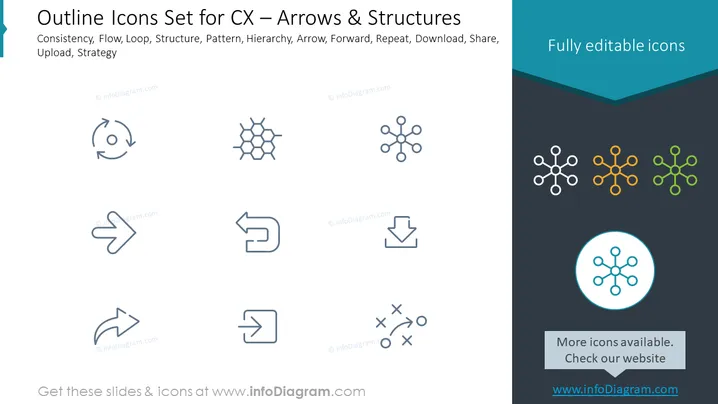
The slide presents a collection of outline icons focusing on customer experience concepts and structures, each representing a different aspect of process and strategy. "Consistency," suggesting uniformity in customer interaction; "Flow," indicating the movement through a process; "Loop," implying feedback or continual improvement; "Structure," denoting the arrangement of components within a system; "Pattern," referring to recurring elements; "Hierarchy," showing levels of organization; "Arrow," for direction or progress; "Forward," indicating advancement; "Repeat," for repetition in processes; "Download" and "Share," both important for information distribution; and "Upload" and "Strategy," essential for adding content and planning.
Graphical Look
- The slide has a dark teal background with a header section in a lighter shade creating a contrasting banner at the top.
- The title in the banner uses white, bold, sans-serif font, brightly contrasting against the background.
- A set of nine icons are arranged in a 3x3 grid layout, each icon in a light gray, showing various symbolic representations.
- Below the grid, there's a highlighted icon in a circular blue shape, emphasizing its importance or selection.
- The slide uses flat design without any shadows, gradients, or 3D effects, giving it a modern and clean look.
- A call-to-action box at the bottom right in a lighter shade contains text inviting users to check more icons on the provider's website.
The slide has a minimalist and modern aesthetic with a consistent color scheme that is easy on the eyes. The icons are evenly spaced, offering a balanced visual flow that facilitates focus on each graphic equally.
Use Cases
- This slide could be used in a business presentation to discuss various aspects of customer experience (CX) strategy.
- It could serve as a visual aid in a workshop discussing process optimization or process mapping, where each icon represents a different concept.
- The slide could be used in a marketing meeting to brainstorm and discuss the visual aspects of an online campaign, with icons representing digital actions.
- It would be useful in a training session for customer support representatives to symbolize different stages or principles in handling customer inquiries or complaints.
How to Edit
How to edit text & colors

How to expand / shorten diagram

How to Replace Icons in infoDiagram PPT


