
Reviews
Ihre Grafiken verleihen meinen Präsentationen eine nette Note, und ich habe sie kürzlich für eines meiner All-Hands-Meetings verwendet. Ihre Toolbox verleiht meinen Folien Professionalität, anstatt Standard-Clipart zu verwenden.
Ich brauchte einen neuen Blick auf einige meiner Folien. Ich habe versucht, einen Weg zu finden, einen Pinselschlag-Effekt zu erzielen, um zu unterstreichen, hervorzuheben, Farbe hinzuzufügen, und die handgeschriebenen Markierungen waren genau das Richtige. Sehr einfach zu bedienen, leicht in der Größe zu ändern, die Farbe zu ändern. Es war eine erschwingliche, perfekte Lösung und ich empfehle sie gerne weiter.
Die klare, saubere Optik der Grafiken und die Tatsache, dass ich die Farben leicht bearbeiten und an die Vorlage anpassen konnte, war mein Hauptgrund für den Kauf.
Description
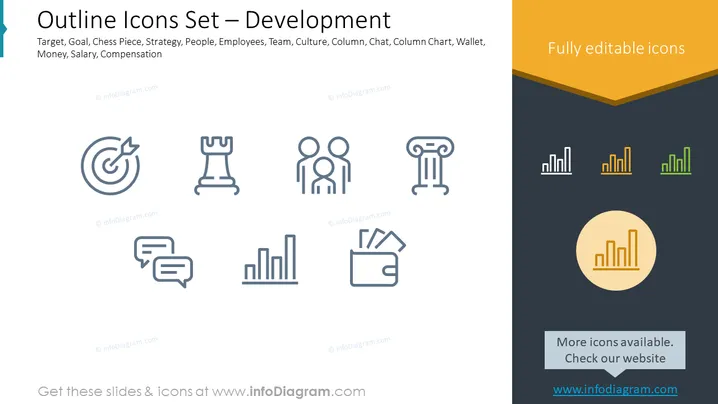
Outline Icons Set – Development
Slide Content
The PowerPoint slide titled "Outline Icons Set – Development" showcases various vector icons related to business and organizational development, including a target, a chess piece, a pair of people, a pillar, a chat bubble pair, a bar chart, a wallet, and others in column chart format. Each icon represents a concept, like strategy signified by the chess piece, teamwork or partnership by the pair of people, financial aspects by the wallet, and data or progress tracking by the bar chart.
Graphical Look
- The slide has a clean, modern design with a two-tone background split diagonally, with the majority in white and a smaller section in dark blue.
- The title of the slide is prominently displayed at the top in large, bold text.
- A collection of eight simple, outline-style icons is evenly distributed in two rows across the slide.
- Each icon is accompanied by a descriptive label located directly underneath in a smaller font size.
- The icons are monochromatic, matching the dark blue color scheme of the slide's background accent.
- A circular icon with a bar chart, highlighted with a golden background, denotes it may be the featured or a new addition to the icon set.
- A rectangular call-to-action box is situated at the bottom of the slide with a contrasting, lighter blue arrow directing attention to the URL provided for additional icons.
- The overall composition maintains a balanced and organized look, with plenty of white space to avoid cluttering and ensure focus on each graphical element.
The slide has a professional aesthetic with a focus on clarity and ease of understanding. The iconography is simple yet effective, facilitating quick grasping of concepts without unnecessary distractions.
Use Cases
- Presenting different facets of business development strategies in a corporate meeting.
- Enhancing visual communication in training materials for organizational development concepts.
- Incorporating into a pitch deck to visually represent various services or products being offered.
- Utilizing in digital marketing to create infographics or social media content that succinctly conveys company strengths.
How to Edit
How to edit text & colors

How to expand / shorten diagram

How to Replace Icons in infoDiagram PPT


