
Reviews
Sus gráficos añaden un toque agradable a mis presentaciones y recientemente los usé para una de mis reuniones generales. Su conjunto de herramientas añade profesionalismo a mis diapositivas. En lugar de usar imágenes prediseñadas estándar.
Necesitaba un aspecto fresco para algunas de mis diapositivas. Había intentado encontrar una forma de crear un efecto de pincel, de subrayar, acentuar, añadir algo de color y los marcadores escritos a mano fueron justo lo que necesitaba. Muy fácil de usar, fácil de ajustar el tamaño, cambiar el color. Fue una solución asequible y perfecta, y estoy feliz de recomendarla.
El aspecto nítido y limpio de los gráficos, y el hecho de que me permitiera editar y cambiar fácilmente los colores para que coincidieran con la plantilla fue mi principal razón para comprarlos.
Description
Outline Icons – General
Slide Content
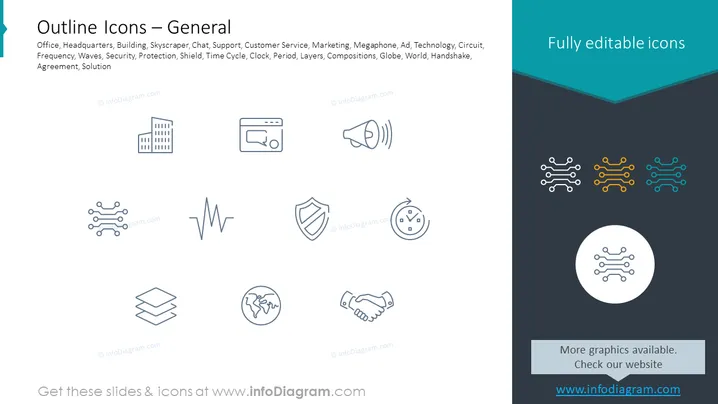
The slide is presenting a collection of outline icons that symbolize various general concepts such as an office, a building representing headquarters or places of work, chat and support icons for customer service, a megaphone for marketing or announcements, technology and circuit icons representing connectivity, a series of waves for frequency or sound, a shield for security or protection, a clock for time cycle or periods, layered shapes for compositions or structures, a globe for world or international topics, a handshake for agreements or partnerships, and a solution icon, which could symbolize answers or resolutions to problems.
Graphical Look
- The slide has a white background with a teal header containing the title "Outline Icons - General".
- A collection of 12 monochrome outline icons is evenly distributed across the center of the slide, arranged in 3 rows and 4 columns.
- The icons depict - from left to right, top to bottom - a modern building, a chat bubble with three dots, a megaphone emitting sound waves, and a circuit diagram.
- The second row features another circuit diagram, a frequency waveform, a shield, and a clock demonstrating time cycle.
- The final row shows layers, a globe, a handshake, and two interconnected puzzle pieces.
- The right side of the slide has a dark navy blue vertical banner with a lighter blue chevron on top and the text "Fully editable icons" in white.
- Within the dark blue banner area, four versions of the circuit icon are shown, each with a different color (white, yellow, orange, blue).
- A white circle overlaid on the bottom part of the banner displays one white circuit icon.
The slide employs a clean, minimalist design with plenty of white space to ensure the icons stand out. Each icon effectively communicates its intended concept through simple visual cues.
Use Cases
- To visually enhance bullet points or topics in a business presentation.
- As an aid in explaining abstract or complex Sorry, there seems to be a mistake in the previous response as it did not follow your instructions regarding the "Use Cases" section. Let me correct that:
Use Cases
- Used as a visual aid in business presentations to quickly convey key business concepts like security, technology, or global reach.
- Utilized in marketing materials to represent different services or features being discussed such as customer support or innovation.
- Incorporated into training documents to illustrate various topics, making them more engaging and easier to remember.
- Selected as infographics in reports to visually summarize the different areas of business like workflow, team collaboration, or time management.
How to Edit
How to edit text & colors

How to expand / shorten diagram

How to Replace Icons in infoDiagram PPT


