
Reviews
Sus gráficos añaden un toque agradable a mis presentaciones y recientemente los usé para una de mis reuniones generales. Su conjunto de herramientas añade profesionalismo a mis diapositivas. En lugar de usar imágenes prediseñadas estándar.
Necesitaba un aspecto fresco para algunas de mis diapositivas. Había intentado encontrar una forma de crear un efecto de pincel, de subrayar, acentuar, añadir algo de color y los marcadores escritos a mano fueron justo lo que necesitaba. Muy fácil de usar, fácil de ajustar el tamaño, cambiar el color. Fue una solución asequible y perfecta, y estoy feliz de recomendarla.
El aspecto nítido y limpio de los gráficos, y el hecho de que me permitiera editar y cambiar fácilmente los colores para que coincidieran con la plantilla fue mi principal razón para comprarlos.
Description
Outline Icons – Finances and Results
Slide Content
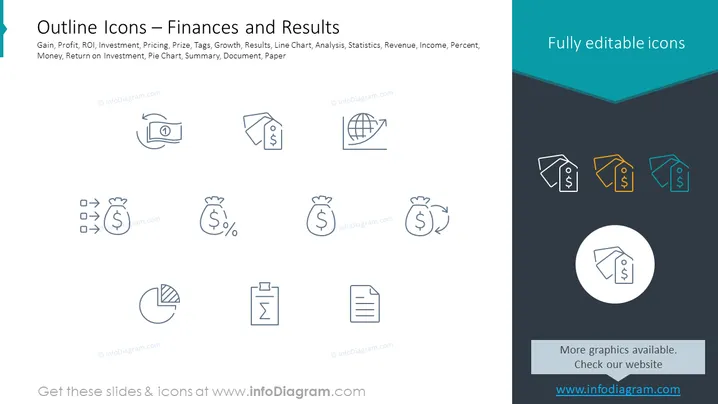
The PowerPoint slide titled "Outline Icons – Finances and Results" showcases a collection of financial-related icons that represent various business concepts: Gain, Profit, ROI (Return on Investment), Investment, Pricing, Prize, Tags, Growth, Results, Line Chart, Analysis, Statistics, Revenue, Income, Percent, Money, Return on Investment, Pie Chart, Summary, Document, and Paper. Each icon is a visual representation of these concepts, designed to make slides clearer and more engaging by simplifying complex financial topics into understandable symbols.
Graphical Look
- The slide uses a minimalistic color scheme, primarily consisting of various shades of blue and grey.
- There are two primary areas on the slide: the left half displays a collection of outlined icons, and the right half features four icons with a color accent.
- Icons on the left include a banknote, price tag, sack of money with a dollar sign, sack with a percentage symbol, upward trend graph, globe with gridlines, pie chart, and a clipboard with a checklist.
- Icons on the right are shown with an overlay of orange, light blue, and dark teal color fill for emphasis.
- One icon is encapsulated within a white circle and has a larger size than the others, standing out as a focal point.
- The text "Fully editable icons" is placed prominently at the top right corner within a dark teal banner.
- The background is a plain, light grey color that does not distract from the icons.
The overall look of the slide is clean and professional, with a good balance of space and information. The use of color highlights selective elements without overwhelming the viewer.
Use Cases
- The slide can be used in financial reports to visually represent key metrics such as ROI, growth rates, and revenue.
- It can serve as a quick reference slide in business presentations where each icon succinctly communicates a specific financial concept.
- The icons are useful for summary sections in visual aids, making complex data more accessible.
- Marketing materials can incorporate these icons to create informative graphics that explain pricing strategies or investment opportunities.
How to Edit
How to edit text & colors

How to expand / shorten diagram

How to Replace Icons in infoDiagram PPT


