

Your graphics add a nice touch to my presentations and I recently used them for one of my all-hands meetings. Your toolbox adds professionalism to my slides. Instead of using standard clipart.
Claude Jones, Director of Engineer, @Walmartlabs, USA

Your graphics add a nice touch to my presentations and I recently used them for one of my all-hands meetings. Your toolbox adds professionalism to my slides. Instead of using standard clipart.
Claude Jones, Director of Engineer, @Walmartlabs, USA
I needed a fresh look at some of my slides. I've tried to find a way to create a paintbrush effect, to underline, accentuate, add some color and the handwritten markers were just the things. Very easy to use, easy to size, change the color. It was an affordable, perfect solution and I'm happy to recommend it.
Anonymous, US
The crisp, clean look of the graphics, and the fact that it allowed me to easily edit and change the colors to match the template was my main reason for purchasing them.
Brandie Jenkins, E-learning Developer, USA
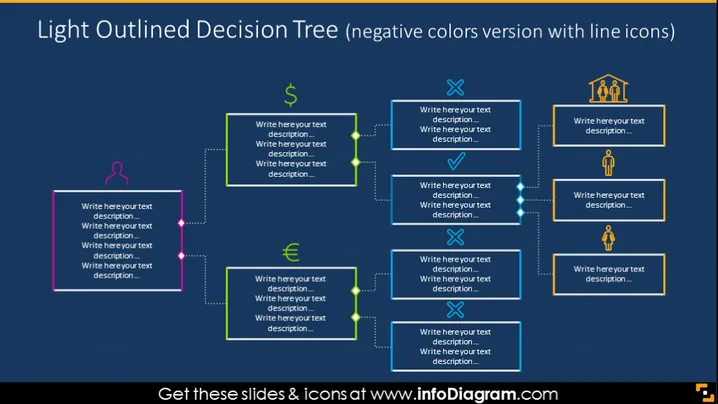
##Slide contents: The Buying Decision Factors PowerPoint Template can be used to explain customers' purchase decisions based on their location. The icons make your presentation creative, and you can write a brief explanation under each icon to keep it professional. This Decision Tree shows that consumer buying behavior is divided differently between Europe and America. Those that purchase the company's products or services in America are divided into married and single customers. Customers that do not purchase a company's products in Europe or America might be due to personal factors, purchasing power, cultural factors, psychological factors, social factors, and economic factors. These factors influence customers' ability to buy products especially from abroad. You can use this Consumer Buying Decision if you want to show the factors that influence consumer behavior and the factors affecting purchasing power. You can use this slide to segment your customers to create a marketing plan that targets and retains loyal customers. You can download this template on Google Slides and Keynote too. ##Slide Infographic Description: Decision Tree, Buying Decision Tree, Text Box, Dollar Icon, Euro Icon, No Icon, Yes Icon, Married Icon, Man Icon, Female Icon



