
Reviews
Your graphics add a nice touch to my presentations and I recently used them for one of my all-hands meetings. Your toolbox adds professionalism to my slides. Instead of using standard clipart.
I needed a fresh look at some of my slides. I've tried to find a way to create a paintbrush effect, to underline, accentuate, add some color and the handwritten markers were just the things. Very easy to use, easy to size, change the color. It was an affordable, perfect solution and I'm happy to recommend it.
The crisp, clean look of the graphics, and the fact that it allowed me to easily edit and change the colors to match the template was my main reason for purchasing them.
Description
Slide Content
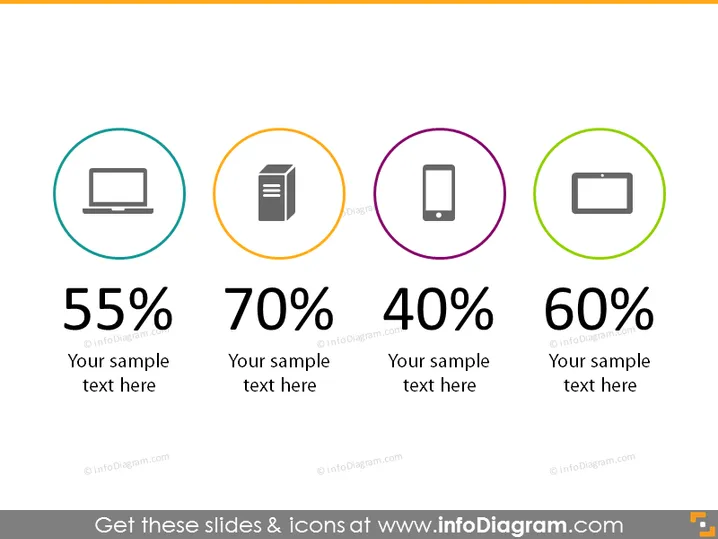
The PowerPoint slide provides statistics in the form of percentages, each associated with a different icon. The slide includes four distinct metrics: 55% with a computer monitor icon, 70% with a document icon, 40% with a mobile phone icon, and 60% with a battery icon. Each statistic is followed by a placeholder text "Your sample text here," hinting that these are template values to be customized with specific details related to a presentation's content.
Graphical Look
- Four circular icons with colored borders: light blue, orange, purple, and light green, representing different objects.
- Each icon is accompanied by a large percentage figure in bold, located directly below it.
- Below each percentage is a placeholder text, smaller in font, reading "Your sample text here."
- The background of the slide is white, providing a clean contrast to the colorful elements.
The slide's overall appearance is modern and simplistic, utilizing icons and bold text to convey information quickly and effectively. It is well-organized with equidistant elements that create a balanced visual layout.
Use Cases
- Demonstrating key metrics or statistics in a business performance presentation.
- Showcasing survey results or market research data.
- Comparing product features or performance figures in a sales or marketing pitch.
- Incorporating infographics in an educational or training session to highlight important figures.
How to Edit
How to edit text & colors

How to expand / shorten diagram

How to Replace Icons in infoDiagram PPT


