

Your graphics add a nice touch to my presentations and I recently used them for one of my all-hands meetings. Your toolbox adds professionalism to my slides. Instead of using standard clipart.
Claude Jones, Director of Engineer, @Walmartlabs, USA

Your graphics add a nice touch to my presentations and I recently used them for one of my all-hands meetings. Your toolbox adds professionalism to my slides. Instead of using standard clipart.
Claude Jones, Director of Engineer, @Walmartlabs, USA
I needed a fresh look at some of my slides. I've tried to find a way to create a paintbrush effect, to underline, accentuate, add some color and the handwritten markers were just the things. Very easy to use, easy to size, change the color. It was an affordable, perfect solution and I'm happy to recommend it.
Anonymous, US
The crisp, clean look of the graphics, and the fact that it allowed me to easily edit and change the colors to match the template was my main reason for purchasing them.
Brandie Jenkins, E-learning Developer, USA
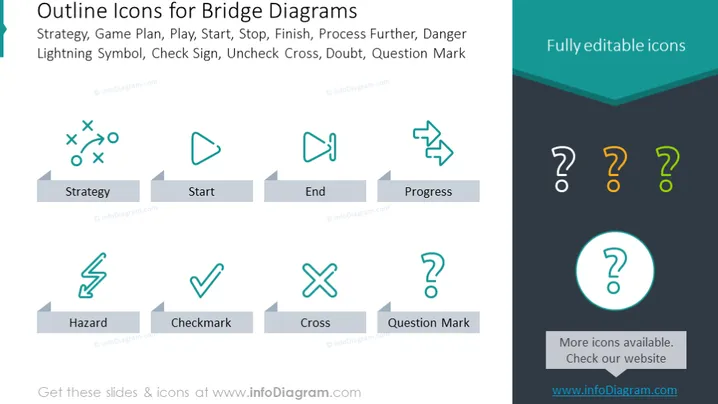
The slide presents a collection of "Outline Icons for Bridge Diagrams," which likely serve as visual metaphors to enrich the meaning of processes or steps in a flowchart. These icons represent various concepts: "Strategy" is shown with a football play, indicating planning or tactics; "Start" is a play button symbolizing initiation or commencement; "End" is a flag, denoting completion or a goal; and "Progress" with arrows circling back, suggesting ongoing movement or development. Additional icons include "Hazard" with a lightning bolt representing danger or risk, "Checkmark" showing approval or completion, "Cross" for incorrect or negative, and "Question Mark" for doubt or inquiry.
The overall look of the slide is sleek and modern, with a professional color scheme and uniform icon design. The icons are simplistic yet descriptive, and the large font is easy to read and visually aligns well with the icon design.



