
Reviews
Your graphics add a nice touch to my presentations and I recently used them for one of my all-hands meetings. Your toolbox adds professionalism to my slides. Instead of using standard clipart.
I needed a fresh look at some of my slides. I've tried to find a way to create a paintbrush effect, to underline, accentuate, add some color and the handwritten markers were just the things. Very easy to use, easy to size, change the color. It was an affordable, perfect solution and I'm happy to recommend it.
The crisp, clean look of the graphics, and the fact that it allowed me to easily edit and change the colors to match the template was my main reason for purchasing them.
Description
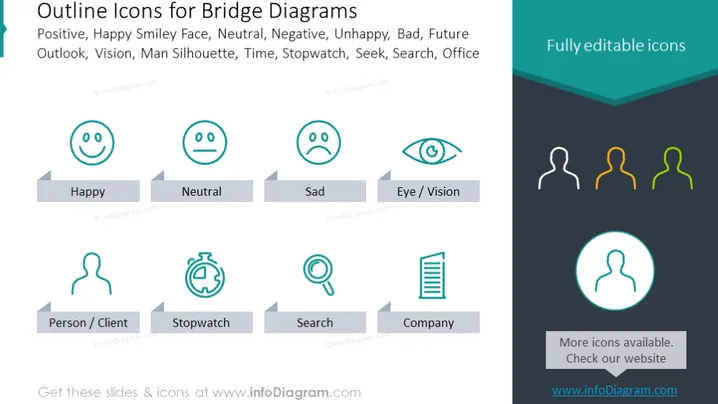
Outline Icons for Bridge Diagrams
Slide Content
The slide is titled "Outline Icons for Bridge Diagrams" and illustrates various icons to depict concepts such as emotions and business functions. There are icons for emotions like "Happy," "Neutral," and "Sad" that represent feedback or sentiment. The "Eye/Vision" icon could symbolize focus or perspective. Business-related icons include a "Person/Client" representing customers, a "Stopwatch" for time or efficiency, a magnifying glass for "Search" related to inquiry or analysis, and a list possibly denoting a "Company" organization or structure.
Graphical Look
- The slide is divided into two distinct sections with a dark header and a lighter main area.
- The top left corner features the title in large, bold text.
- Each icon is encased within a circular outline.
- Below each icon is a label explaining its representational concept, such as "Happy" or "Person/Client."
- Icons are presented in two rows, with varying shades of blue and green.
- The right side of the slide includes a rectangle with the text "Fully editable icons" and a circular icon highlighted with a teal circle.
- A small section at the bottom right prompts users to visit a website for more icons.
The slide has a professional look with a clean, modern design. The icons are simple and easily recognizable, contributing to the overall clarity of the presentation.
Use Cases
- This slide can be used in business presentations to illustrate customer feedback or emotional responses to products or services.
- It can serve as a visual aid in discussing metrics of performance like efficiency, represented by the Stopwatch icon.
- The icons can be incorporated in strategy presentations, with reference to vision, goals, or customer demographics.
- They are also suitable for workforce training materials, helping to convey concepts rapidly and memorably.
How to Edit
How to edit text & colors

How to expand / shorten diagram

How to Replace Icons in infoDiagram PPT


