
Reviews
Sus gráficos añaden un toque agradable a mis presentaciones y recientemente los usé para una de mis reuniones generales. Su conjunto de herramientas añade profesionalismo a mis diapositivas. En lugar de usar imágenes prediseñadas estándar.
Necesitaba un aspecto fresco para algunas de mis diapositivas. Había intentado encontrar una forma de crear un efecto de pincel, de subrayar, acentuar, añadir algo de color y los marcadores escritos a mano fueron justo lo que necesitaba. Muy fácil de usar, fácil de ajustar el tamaño, cambiar el color. Fue una solución asequible y perfecta, y estoy feliz de recomendarla.
El aspecto nítido y limpio de los gráficos, y el hecho de que me permitiera editar y cambiar fácilmente los colores para que coincidieran con la plantilla fue mi principal razón para comprarlos.
Description
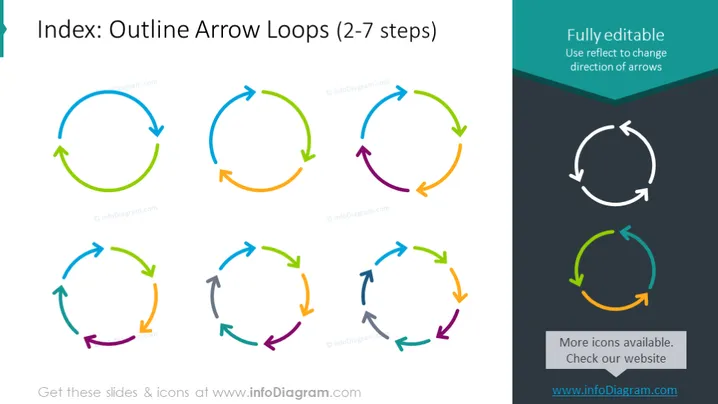
Index: Outline Arrow Loops (2-7 steps)
Slide Content
The PowerPoint slide seems to illustrate a series of outline arrow loops to represent processes or cycles that consist of 2 to 7 steps. Each arrow loop varies in the number of arrows or segments, indicating the different number of steps in a process. For instance, the loops are displayed in different colors, where each color might represent a phase or step within the cycle, demonstrating progression, repetition, or a continuous sequence of events.
Graphical Look
- A large slide title at the top left, in bold and capitalized text.
- Seven arrow loop diagrams are arranged in a grid pattern, three on the top row and two pairs on the bottom row.
- Each arrow loop has a different number of arrows (ranging from 2 to 7), with each arrow a distinct color.
- The loops are arranged in ascending order based on the number of arrows.
- On the top-right corner, there's a text box with the heading "Fully editable" and some instructive text below it.
- A smaller diagram of a single arrow loop at the bottom right with a callout text "More icons available. Check our website".
The slide is clean and colorful, with a minimalist style that focuses on the arrow loop graphics. The varying colors of the arrows attract attention and convey a sense of diversity in steps or options.
Use Cases
- To depict a variety of cyclical processes or phases within a business project or strategy.
- To show workflows that involve repeating tasks, highlighting the number of steps in each workflow.
- As a visual tool for indicating progressions or sequences in a marketing plan or product development cycle.
- To compare different processes or cycles in terms of their complexity or the number of steps involved.
How to Edit
How to edit text & colors

How to expand / shorten diagram

How to Replace Icons in infoDiagram PPT


