

Your graphics add a nice touch to my presentations and I recently used them for one of my all-hands meetings. Your toolbox adds professionalism to my slides. Instead of using standard clipart.
Claude Jones, Director of Engineer, @Walmartlabs, USA

Your graphics add a nice touch to my presentations and I recently used them for one of my all-hands meetings. Your toolbox adds professionalism to my slides. Instead of using standard clipart.
Claude Jones, Director of Engineer, @Walmartlabs, USA
I needed a fresh look at some of my slides. I've tried to find a way to create a paintbrush effect, to underline, accentuate, add some color and the handwritten markers were just the things. Very easy to use, easy to size, change the color. It was an affordable, perfect solution and I'm happy to recommend it.
Anonymous, US
The crisp, clean look of the graphics, and the fact that it allowed me to easily edit and change the colors to match the template was my main reason for purchasing them.
Brandie Jenkins, E-learning Developer, USA
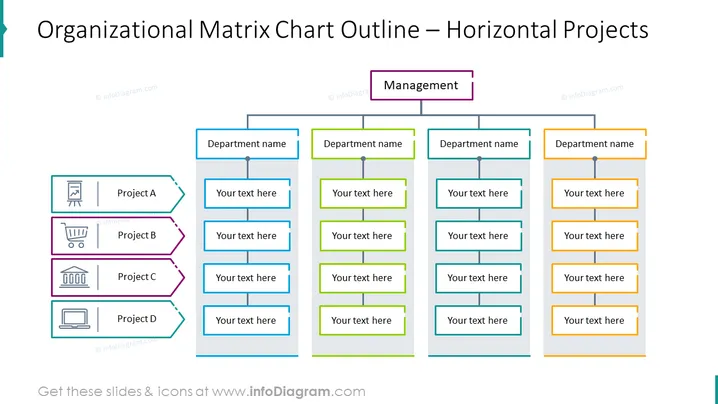
The PowerPoint slide presents an organizational matrix chart with a focus on horizontal projects. It outlines how different projects (Project A, B, C, and D) relate to various departments within an organization. Each project, denoted by a distinct color, intersects with multiple departments, allowing viewers to understand which department is involved with which project. "Your text here" placeholders suggest that the slide is customizable for specific organizational details.
The overall look is professional and structured, suitable for a business or organizational context with a clear emphasis on hierarchy and project management. The design is minimalistic yet effective, providing visual cues for relationships and dependencies.



