
Reviews
Vos graphiques ajoutent une belle touche à mes présentations et je les ai récemment utilisés pour l'une de mes réunions générales. Votre boîte à outils ajoute du professionnalisme à mes diapositives. Au lieu d'utiliser des cliparts standards.
J'avais besoin d'un nouveau regard sur certaines de mes diapositives. J'ai essayé de trouver un moyen de créer un effet de pinceau, de souligner, d'accentuer, d'ajouter de la couleur et les marqueurs manuscrits étaient exactement ce qu'il fallait. Très facile à utiliser, facile à ajuster la taille, à changer la couleur. C'était une solution abordable et parfaite et je suis heureux de la recommander.
L'aspect net et épuré des graphiques, et le fait qu'il m'ait permis d'éditer et de changer facilement les couleurs pour les adapter au modèle, ont été les principales raisons de mon achat.
Description
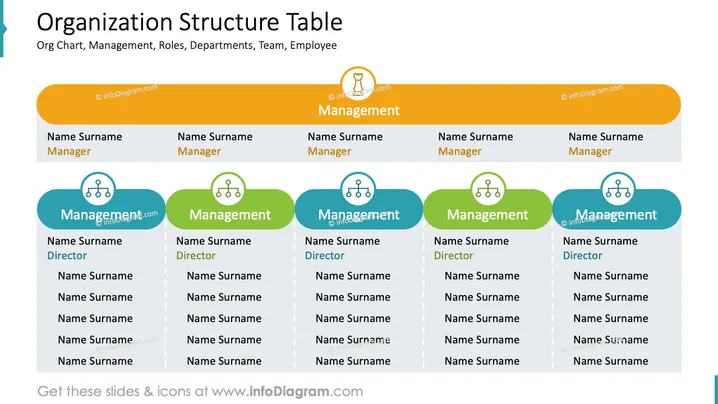
Organization Structure Table
Slide Content
The slide presents an organizational structure table that includes positions such as "Manager" and "Director" with spaces for names and surnames. Each category ("Manager" and "Director") appears five times across the slide, indicating a large and possibly departmentalized entity. This setup can be used for detailing the hierarchy within a department or team, each "Manager" slot likely representing a different area of responsibility, with the "Director" slots indicating direct reports or subordinate roles.
Graphical Look
- The slide has a dominant orange header with the slide title in white text.
- Below the header, there are five sections horizontally aligned.
- Each section consists of two vertically stacked elements.
- The top element of each section is a white rectangle with a drop shadow, containing the "Name Surname Manager" text in black.
- The bottom element, larger than the top, is an oval shape filled with a gradient ranging from blue to green, also with a drop shadow. It contains the title "Management" and a series of "Name Surname Director" listings in white text.
- Each section is separated by a thin white line, suggesting division or departmentalization.
- Icons representing a group of people are placed above the word "Management" within the blue-green ovals.
The slide's overall look is clean, with a professional color scheme and clear division of roles. The graphic elements, such as color gradients and person icons, provide visual cues that aid in understanding the organizational layout.
Use Cases
- To depict the hierarchy of a business or department during a company meeting.
- As part of an onboarding presentation to introduce new employees to the company's structure.
- In a strategic planning session to discuss reallocation of roles or department restructuring.
- For internal documentation purposes, providing a visual representation of reporting lines and team structure.
How to Edit
How to edit text & colors

How to expand / shorten diagram

How to Replace Icons in infoDiagram PPT


