
Reviews
Your graphics add a nice touch to my presentations and I recently used them for one of my all-hands meetings. Your toolbox adds professionalism to my slides. Instead of using standard clipart.
I needed a fresh look at some of my slides. I've tried to find a way to create a paintbrush effect, to underline, accentuate, add some color and the handwritten markers were just the things. Very easy to use, easy to size, change the color. It was an affordable, perfect solution and I'm happy to recommend it.
The crisp, clean look of the graphics, and the fact that it allowed me to easily edit and change the colors to match the template was my main reason for purchasing them.
Description
Online Meeting Title Here
Slide Content
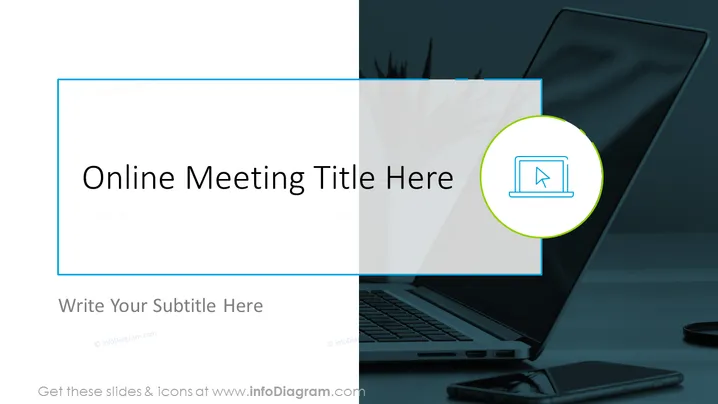
This PowerPoint slide is designed as a title slide for an online meeting presentation. The slide contains a placeholder for the meeting title and an additional area for a subtitle or description. These placeholders indicate where a presentation's main topic and a brief explanatory text should be entered. The slide serves as an introductory screen to set the stage for subsequent content in an online meeting or webinar context.
Graphical Look
- The slide has a split background with a dark photo on the left side and a white gradient background on the right.
- A rectangular frame with a blue border surrounds the slide's contents.
- The slide title "Online Meeting Title Here" is prominently displayed in the center in a large, bold, sans-serif font.
- Below the title, there's a space for a subtitle with the prompt "Write Your Subtitle Here" in smaller text.
- To the right of the slide, within the white gradient area, there is a circular icon with a green outline, containing a stylized image of a laptop with a cursor arrow, symbolizing an online meeting or webinar.
- The overall design of the slide is modern and clean, with a professional color scheme and ample space for customizing the text.
The overall look of the slide is sleek and professional, with a clear focus on setting up the context for an online meeting. The contrasting backgrounds and the simple yet informative icon effectively convey the theme of digital communication.
Use Cases
- To introduce the topic of an online meeting or webinar when presenting to remote participants.
- As the opening slide in a corporate virtual training session to present the agenda or objectives to attendees.
- In educational online seminars to provide students with a clear understanding of the lecture content up front.
- During virtual conferences or panel discussions to establish the event title and distinguish between different sessions or speakers.
How to Edit
How to edit text & colors

How to expand / shorten diagram

How to Replace Icons in infoDiagram PPT


