
Reviews
Ihre Grafiken verleihen meinen Präsentationen eine nette Note, und ich habe sie kürzlich für eines meiner All-Hands-Meetings verwendet. Ihre Toolbox verleiht meinen Folien Professionalität, anstatt Standard-Clipart zu verwenden.
Ich brauchte einen neuen Blick auf einige meiner Folien. Ich habe versucht, einen Weg zu finden, einen Pinselschlag-Effekt zu erzielen, um zu unterstreichen, hervorzuheben, Farbe hinzuzufügen, und die handgeschriebenen Markierungen waren genau das Richtige. Sehr einfach zu bedienen, leicht in der Größe zu ändern, die Farbe zu ändern. Es war eine erschwingliche, perfekte Lösung und ich empfehle sie gerne weiter.
Die klare, saubere Optik der Grafiken und die Tatsache, dass ich die Farben leicht bearbeiten und an die Vorlage anpassen konnte, war mein Hauptgrund für den Kauf.
Description
Onion Diagram – 3 Layers Core, Middle, Periphery
Slide Content
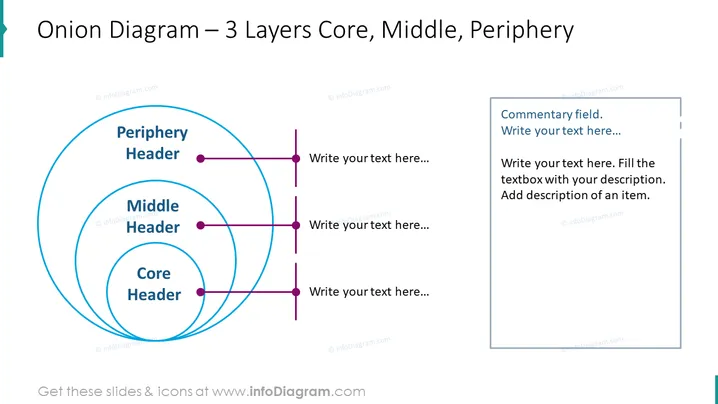
The slide presents an 'Onion Diagram' used to depict layers or concentric circles of concepts or components in a structured manner. The core represents the central idea or element, often the most important or fundamental aspect. Surrounding the core are the middle and periphery layers, which could represent less central but still significant elements or considerations that supplement the core concept.
Graphical Look
- A large title at the top in bold, dark text.
- Three concentric circles, each labeled with "Header" to represent different layers: Core, Middle, Periphery.
- Lines extending outward from each circle to text boxes for additional details.
- The largest, outer circle labeled "Periphery Header."
- The middle circle labeled "Middle Header."
- The smallest, inner circle labeled "Core Header."
- On the right side, a stylized text box with a "Commentary field" header for supplementary information.
- Each associated text area begins with placeholder text, "Write your text here...", prompting users to fill in their own content.
The slide features a clean and professional look with a strong visual hierarchy that directs the viewer's attention from the innermost circle outwards. The color palette is limited, emphasizing the structure of the diagram without visual distractions.
Use Cases
- Illustrating the structure of an organization, with core values at the center and external stakeholders at the periphery.
- Explaining complex systems or models in a business strategy presentation, with core components, supporting processes, and related elements.
- Training materials to describe layered security measures, with the most critical protections at the core.
- Marketing presentations to showcase product features, with the core being the primary value proposition and surrounding layers detailing additional features or benefits.
How to Edit
How to edit text & colors

How to expand / shorten diagram

How to Replace Icons in infoDiagram PPT


