
Reviews
Your graphics add a nice touch to my presentations and I recently used them for one of my all-hands meetings. Your toolbox adds professionalism to my slides. Instead of using standard clipart.
I needed a fresh look at some of my slides. I've tried to find a way to create a paintbrush effect, to underline, accentuate, add some color and the handwritten markers were just the things. Very easy to use, easy to size, change the color. It was an affordable, perfect solution and I'm happy to recommend it.
The crisp, clean look of the graphics, and the fact that it allowed me to easily edit and change the colors to match the template was my main reason for purchasing them.
Description
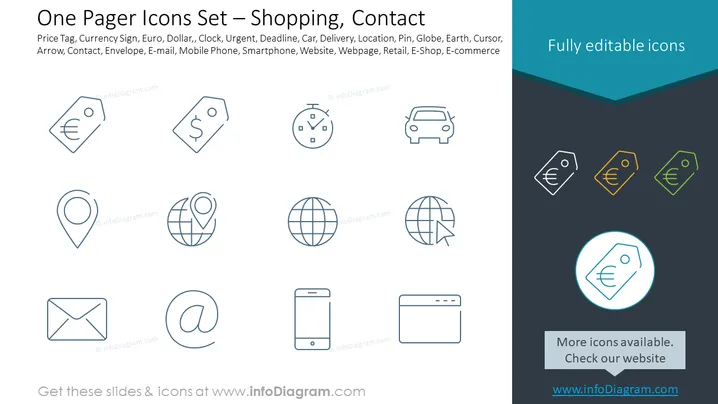
One Pager Icons Set – Shopping, Contact
Slide Content
The PowerPoint slide titled "One Pager Icons Set – Shopping, Contact" features a collection of minimalist icons related to commerce and communication. Each icon represents a key concept: Price Tag (indicative of pricing or cost), Currency Sign (financial transactions), Euro, Dollar (specific currencies), Clock (time-related actions), Urgent (priority or importance), Deadline (a time limit), Car (transportation), Delivery (shipping of goods), Location (geographical places), Pin (marking a specific spot), Globe (international or global relevance), Earth (earth-related or environmental context), Cursor (digital navigation), Arrow (direction or movement), Contact (getting in touch with someone), Envelope (mail correspondence), E-mail (electronic communication), Mobile Phone (telecommunication), Smartphone (advanced mobile device features), Website (online presence), Webpage (specific online pages), Retail (the sale of goods), E-Shop, and E-commerce (online shopping).
Graphical Look
- The slide has a light blue banner at the top, partially overlapping a dark grey background.
- The title is in white text centered within the blue banner.
- A set of icons is displayed in two rows; icons are uniformly styled with a thin line design.
- Each icon is spaced evenly on the slide, providing a clean and organized appearance.
- Colors for the icons are limited to shades of blue, grey, and a highlight color of teal for one selected icon.
- Additional text below the icons states “Fully editable icons” in a white text box, adjacent to a dark teal underline.
- The bottom section includes a call-to-action with “More icons available. Check our website” inside a light grey box, with the URL "www.infoDiagram.com" in blue text.
The slide has a professional and minimalist aesthetic, with clean lines and a limited color palette that emphasizes the icons. The use of space and consistent icon stylization contribute to a visually appealing and easy-to-understand presentation of the icons.
Use Cases
- For preparing a business presentation that includes a section on marketing and sales strategies, emphasizing online and retail commerce.
- Within an e-commerce website development proposal, highlighting various features like payment options, contact methods, and website functionalities.
- To demonstrate the aspects of customer service in a company overview, using icons like Email, Phone, and Contact.
- In an instructional setting to visually express concepts related to online shopping and digital marketing in a clear, understandable manner.
How to Edit
How to edit text & colors

How to expand / shorten diagram

How to Replace Icons in infoDiagram PPT


