
Reviews
Ihre Grafiken verleihen meinen Präsentationen eine nette Note, und ich habe sie kürzlich für eines meiner All-Hands-Meetings verwendet. Ihre Toolbox verleiht meinen Folien Professionalität, anstatt Standard-Clipart zu verwenden.
Ich brauchte einen neuen Blick auf einige meiner Folien. Ich habe versucht, einen Weg zu finden, einen Pinselschlag-Effekt zu erzielen, um zu unterstreichen, hervorzuheben, Farbe hinzuzufügen, und die handgeschriebenen Markierungen waren genau das Richtige. Sehr einfach zu bedienen, leicht in der Größe zu ändern, die Farbe zu ändern. Es war eine erschwingliche, perfekte Lösung und ich empfehle sie gerne weiter.
Die klare, saubere Optik der Grafiken und die Tatsache, dass ich die Farben leicht bearbeiten und an die Vorlage anpassen konnte, war mein Hauptgrund für den Kauf.
Description
Omnichannel Outline Icons Set – Client Service
Slide Content
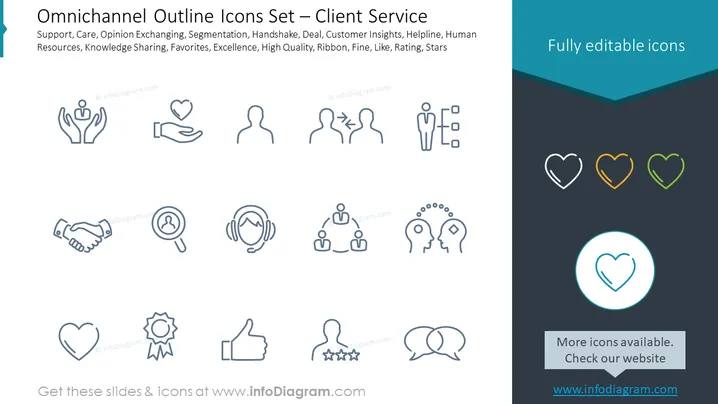
This PowerPoint slide presents a set of icons dedicated to client service within an omnichannel approach. The icons depict various customer service and satisfaction concepts such as Support (symbolized by hands supporting a heart), Care (a hand holding a heart), Opinion Exchanging (two silhouettes with a double-ended arrow), Segmentation (three figures with dividing lines), Handshake (representing a deal or agreement), Deal (a handshake), Customer Insights (a magnifying glass over a person), Helpline (headset), Human Resources (three figures interconnected), Knowledge Sharing (one head with gears transferring knowledge to another), Favorites (a heart symbol), Excellence (an award ribbon), High Quality (thumbs up), Ribbon (an award ribbon indicating recognition), Fine (a thumbs-up gesture), Like (a thumbs-up icon), Rating (stars below a figure), and Stars (a collection of star icons).
Graphical Look
- The slide background is split into two sections: The larger section is white, and the smaller section at the bottom is dark teal.
- The title "Omnichannel Outline Icons Set – Client Service" is located at the top left in dark grey font.
- On the right side of the slide, there is a text box with "Fully editable icons" written in white against a teal backdrop.
- The main content area features a series of 16 outline icons in light grey that correspond to various client service terms.
- Each icon has an associated term written underneath it in small, grey font.
- In the dark teal section at the bottom, there is a light grey text box with the text "More icons available. Check our website" and a web address.
- One icon, a heart, is highlighted within a teal circle in the center near the bottom.
The overall look of the slide is clean and modern, with a color palette of white, grey, and teal providing a professional appearance. The icons are minimalist and designed for clarity, which enhances the slide's visual appeal for professional presentations.
Use Cases
- This slide could be used in customer service training to visually represent key concepts and practices.
- It could serve as a part of a presentation on improving client relations and support strategies in a company.
- This slide would suit a pitch for a CRM or customer experience platform focusing on omnichannel support.
- It could also be useful in internal presentations for discussing enhancements to customer service procedures.
How to Edit
How to edit text & colors

How to expand / shorten diagram

How to Replace Icons in infoDiagram PPT


