
Reviews
Sus gráficos añaden un toque agradable a mis presentaciones y recientemente los usé para una de mis reuniones generales. Su conjunto de herramientas añade profesionalismo a mis diapositivas. En lugar de usar imágenes prediseñadas estándar.
Necesitaba un aspecto fresco para algunas de mis diapositivas. Había intentado encontrar una forma de crear un efecto de pincel, de subrayar, acentuar, añadir algo de color y los marcadores escritos a mano fueron justo lo que necesitaba. Muy fácil de usar, fácil de ajustar el tamaño, cambiar el color. Fue una solución asequible y perfecta, y estoy feliz de recomendarla.
El aspecto nítido y limpio de los gráficos, y el hecho de que me permitiera editar y cambiar fácilmente los colores para que coincidieran con la plantilla fue mi principal razón para comprarlos.
Description
Omnichannel Outline Icons Set – Client Service
Slide Content
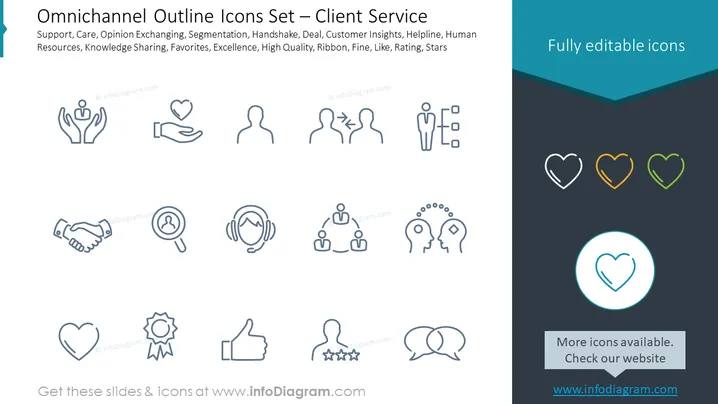
This PowerPoint slide presents a set of icons dedicated to client service within an omnichannel approach. The icons depict various customer service and satisfaction concepts such as Support (symbolized by hands supporting a heart), Care (a hand holding a heart), Opinion Exchanging (two silhouettes with a double-ended arrow), Segmentation (three figures with dividing lines), Handshake (representing a deal or agreement), Deal (a handshake), Customer Insights (a magnifying glass over a person), Helpline (headset), Human Resources (three figures interconnected), Knowledge Sharing (one head with gears transferring knowledge to another), Favorites (a heart symbol), Excellence (an award ribbon), High Quality (thumbs up), Ribbon (an award ribbon indicating recognition), Fine (a thumbs-up gesture), Like (a thumbs-up icon), Rating (stars below a figure), and Stars (a collection of star icons).
Graphical Look
- The slide background is split into two sections: The larger section is white, and the smaller section at the bottom is dark teal.
- The title "Omnichannel Outline Icons Set – Client Service" is located at the top left in dark grey font.
- On the right side of the slide, there is a text box with "Fully editable icons" written in white against a teal backdrop.
- The main content area features a series of 16 outline icons in light grey that correspond to various client service terms.
- Each icon has an associated term written underneath it in small, grey font.
- In the dark teal section at the bottom, there is a light grey text box with the text "More icons available. Check our website" and a web address.
- One icon, a heart, is highlighted within a teal circle in the center near the bottom.
The overall look of the slide is clean and modern, with a color palette of white, grey, and teal providing a professional appearance. The icons are minimalist and designed for clarity, which enhances the slide's visual appeal for professional presentations.
Use Cases
- This slide could be used in customer service training to visually represent key concepts and practices.
- It could serve as a part of a presentation on improving client relations and support strategies in a company.
- This slide would suit a pitch for a CRM or customer experience platform focusing on omnichannel support.
- It could also be useful in internal presentations for discussing enhancements to customer service procedures.
How to Edit
How to edit text & colors

How to expand / shorten diagram

How to Replace Icons in infoDiagram PPT


