Omnichannel Outline Icons Set – Business Signs
Slide Content
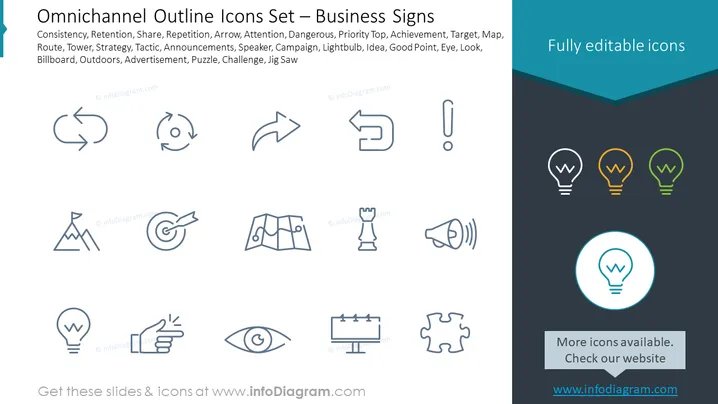
The PowerPoint slide is titled "Omnichannel Outline Icons Set – Business Signs" and displays a collection of line icons that represent various business concepts and activities: Consistency, Retention, Share, Repetition, Arrow, Attention, Dangerous, Priority Top, Achievement, Target, Map, Route, Tower, Strategy, Tactic, Announcements, Speaker, Campaign, Lightbulb, Idea, Good Point, Eye, Look, Billboard, Outdoors, Advertisement, Puzzle, Challenge, and Jig Saw. Each icon symbolizes a key part of business communication or marketing strategies.
Graphical Look
- The slide background is divided into white and dark blue areas at a diagonal angle, creating a modern contrast.
- The title "Omnichannel Outline Icons Set – Business Signs" is positioned in the top left area, with a two-tone blue background enhancing its visibility.
- A collection of 16 outline icons are evenly distributed across the white areas in four rows of four icons each.
- Each icon is rendered in a simple and clean line style, allowing for easy interpretation of the concept it represents.
- The bottom of the slide features a dark blue area with a light blue circle around a lightbulb icon, accompanied by the text "More icons available. Check our website" with a web address.
- The icons are featured with a grey tone that matches the consistency of the slide without overwhelming the audience.
The slide has a minimalist and professional design, using contrasting colors and simple graphics to focus attention on the icons. The icons themselves are designed for quick recognition, employing a universally understood visual language fitting for business presentations.
Use Cases
- Enhancing business strategy or marketing presentations by visually representing different concepts.
- Guiding discussions in a workshop or seminar around omnichannel practices and strategic planning.
- Creating visually engaging educational material for training sessions on business communication or advertising.
- Implementing in pitch decks to complement information about a product's presence across multiple channels or customer touchpoints.