
Reviews
Sus gráficos añaden un toque agradable a mis presentaciones y recientemente los usé para una de mis reuniones generales. Su conjunto de herramientas añade profesionalismo a mis diapositivas. En lugar de usar imágenes prediseñadas estándar.
Necesitaba un aspecto fresco para algunas de mis diapositivas. Había intentado encontrar una forma de crear un efecto de pincel, de subrayar, acentuar, añadir algo de color y los marcadores escritos a mano fueron justo lo que necesitaba. Muy fácil de usar, fácil de ajustar el tamaño, cambiar el color. Fue una solución asequible y perfecta, y estoy feliz de recomendarla.
El aspecto nítido y limpio de los gráficos, y el hecho de que me permitiera editar y cambiar fácilmente los colores para que coincidieran con la plantilla fue mi principal razón para comprarlos.
Description
Omnichannel Analytics
Slide Content:
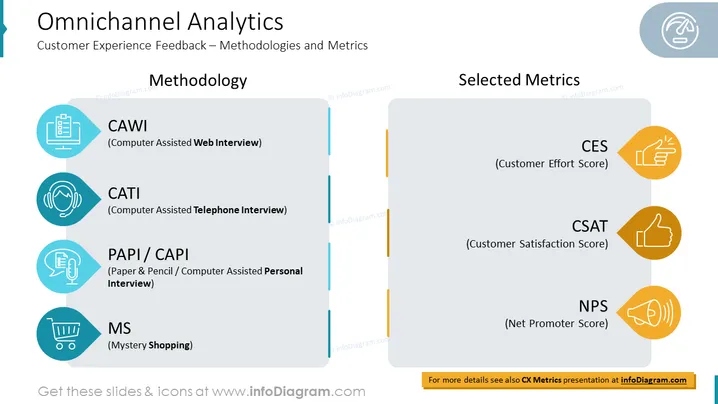
The slide is divided into two sections: “Methodology” and “Selected Metrics”. The “Methodology” section lists four types of methodologies: CAWI (Computer Assisted Web Interview), CATI (Computer Assisted Telephone Interview), PAPI/CAPI (Paper & Pencil/Computer Assisted Personal Interview), and MS (Mystery Shopping). The “Selected Metrics” section lists three types of metrics: CSAT (Customer Satisfaction Score), NPS (Net Promoter Score), and CES (Customer Effort Score).
Graphical Look:
- White background with black text.
- Title text is at the top of the slide in a large, bold font.
- Subtitle text is below the title in a smaller, less bold font.
- Two columns are centered below the subtitle.
- The left column lists the different methodologies used to collect customer experience feedback.
- The right column lists selected metrics that can be used to measure customer experience.
- Icons are used used to represent each methodology and metric.
Analysis of slide visual composition, shapes, colors, icons, and any other graphical elements:
- The slide uses a simple but effective visual design.
- The white background with black text provides a clean and professional look.
- The large, bold title text is easy to read and makes a clear statement about the topic of the slide.
- The two columns of text are well-aligned and easy to scan.
- The use of icons to represent each methodology and metric is helpful for visual learners.
Overall, the slide is well-designed and easy to understand. The visual elements are used effectively to support the text and make the information more engaging.
How to Edit
How to edit text & colors

How to expand / shorten diagram

How to Replace Icons in infoDiagram PPT


