
Reviews
Ihre Grafiken verleihen meinen Präsentationen eine nette Note, und ich habe sie kürzlich für eines meiner All-Hands-Meetings verwendet. Ihre Toolbox verleiht meinen Folien Professionalität, anstatt Standard-Clipart zu verwenden.
Ich brauchte einen neuen Blick auf einige meiner Folien. Ich habe versucht, einen Weg zu finden, einen Pinselschlag-Effekt zu erzielen, um zu unterstreichen, hervorzuheben, Farbe hinzuzufügen, und die handgeschriebenen Markierungen waren genau das Richtige. Sehr einfach zu bedienen, leicht in der Größe zu ändern, die Farbe zu ändern. Es war eine erschwingliche, perfekte Lösung und ich empfehle sie gerne weiter.
Die klare, saubere Optik der Grafiken und die Tatsache, dass ich die Farben leicht bearbeiten und an die Vorlage anpassen konnte, war mein Hauptgrund für den Kauf.
Description
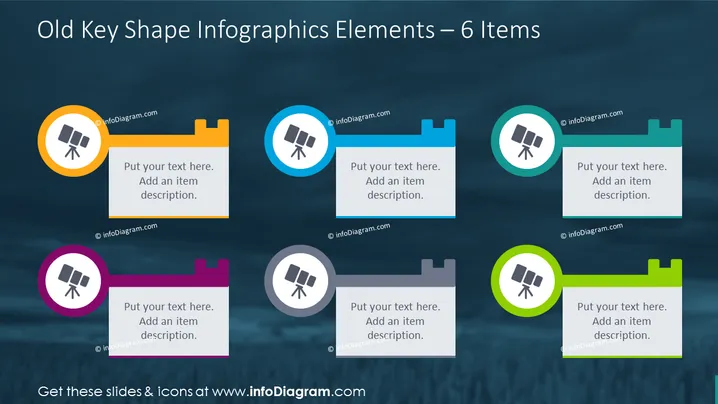
Old Key Shape Infographics Elements – 6 Items
Slide Content
The slide presents a collection of six key-shaped infographic elements, each with a unique color and an adjacent text box for descriptions. These elements seem to represent individual but related concepts or categories within a broader topic. Each key shape has a circle, within which an icon of a telescope is present, symbolizing observation, exploration, or vision, and offering a visual anchor for each point.
Graphical Look
- A dark, textured background, creating a sense of depth and emphasis on the colorful infographic elements.
- Six key-shaped figures with rounded tops and notches at the bottom, reminiscent of teeth in a physical key.
- Within each key shape, a colored circle containing a white telescope icon, contributing a unified theme to the graphics.
- To the right of each key is a white rectangular placeholder tagged with "Put your text here. Add an item description.", indicating where additional information should be entered.
- The key shapes are arranged in two rows of three, with alternating orientations to maintain balance and visual interest.
- Each key shape is a different color (orange, blue, pink, grey, turquoise, and green), providing an easy method to distinguish between the elements of the infographics.
The overall design is sleek and modern, using vibrant colors to attract attention while maintaining a professional appearance. The telescope icon and key shapes suggest unlocking or discovering new knowledge or ideas.
Use Cases
- Presenting the components of a strategic business plan, where each key represents a specific initiative or objective.
- Outlining the stages of a project lifecycle, associating each key with a particular phase of development.
- Describing the unique selling points (USPs) of a product or service, with each key symbolizing a distinct advantage.
- Explaining the core values or pillars of a company, where each key denotes an element of the corporate culture or philosophy.
How to Edit
How to edit text & colors

How to expand / shorten diagram

How to Replace Icons in infoDiagram PPT


