
Reviews
Deine Folien sind meine 'geheime Zutat', wenn es darum geht, meine Ideen Kunden zu visualisieren. Ich spare so viel Zeit.
Ihre Folien führen oft zu guten Kommentaren und Ideen meines Teams, die die endgültigen Folien verbessern.
Description
October (US) – with place for notes
Slide Content
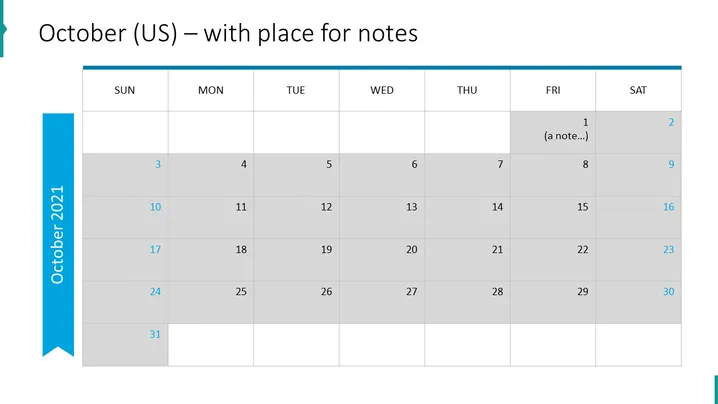
The slide is a calendar for October, specifically formatted for the US, with a Sunday to Saturday week layout. Each day of the week is represented in its own column at the top, with rows indicating the dates of the month beneath. There is a placeholder for notes on the first day, indicating the functionality to add custom notes or events. The calendar features a shaded pattern for weekends and a distinct marker for the current date, enhancing visibility and differentiation between the workweek and the weekend.
Graphical Look
- The slide background is white.
- At the top, there is a horizontal blue banner with the slide title in large, white font.
- Days of the week are arranged in a row of seven columns, labeled "SUN" through "SAT."
- The calendar dates are arranged in a grid format with six rows and seven columns, corresponding to the days of the week.
- Saturdays and Sundays are shaded in a light grey, distinguishing them from weekdays.
- A blue vertical ribbon on the left side indicates the current month and year "October 2021".
- There is a single cell in the grid with a note indicated by "(a note...)" in a lighter text color.
- All text and numbers on the slide are in a sans-serif font.
The slide's overall appearance is clean and businesslike, with a clear emphasis on organization. The mix of white and light grey with blue accents provides a calm and professional color scheme.
Use Cases
- To outline key dates and deadlines in a business plan or project schedule.
- As a visual aid during team meetings to highlight important events or milestones for the month.
- To integrate into a digital newsletter or company intranet as an at-a-glance event calendar.
- To print out for office notice boards or employee handouts for month-specific announcements.
How to Edit
How to edit text & colors

How to expand / shorten diagram

How to Replace Icons in infoDiagram PPT


