
Reviews
Your slides are my "secret sauce" when it comes to presenting my ideas to clients. I save a lot of time.
J'avais un délai de livraison à respecter et je n'avais pas le temps de créer une variété de modèles de diapositives. Infodiagram m'a proposé des options faciles à télécharger et à personnaliser en fonction de mes besoins !
Vos diapositives suscitent souvent de précieux commentaires et idées de la part de mon équipe, ce qui améliore les diapositives finales.
Description
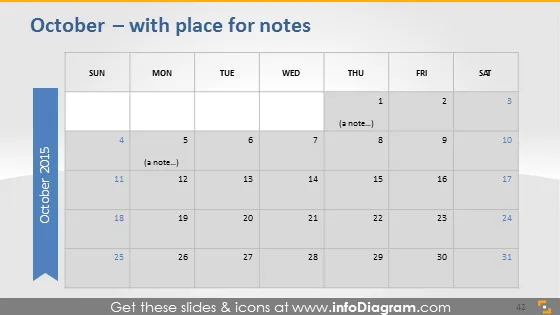
October – with place for notes
Slide Content
The PowerPoint slide features a monthly calendar for October 2015 designed to allow the user to add notes to specific dates. It includes days of the week from Sunday to Saturday and dates from the 1st to the 31st, with text placeholders on some dates suggesting where notes can be added. The focus here is on providing a visual layout for scheduling appointments, deadlines, or events, making it useful for planning and organization.
Graphical Look
- The slide background is a light gray gradient.
- The calendar grid contains white cells with gray borders.
- Days of the week are highlighted at the top of the calendar in bold text.
- The slide features a vertical, blue, left-aligned, ribbon-shaped banner with the year "October 2015" written vertically.
- Sparse text placeholders labeled "(a note…)" appear on the dates of 8 and 12.
- A subtle shadow effect is applied to the calendar, giving it a slightly three-dimensional look.
The overall look of the slide is clean, with a professional and minimalistic design. The use of a gradient background and shadow effect adds depth without distracting from the calendar's functionality.
Use Cases
- Planning and scheduling business project timelines.
- Outlining key business events, holidays, and deadlines for a specific month.
- Coordination of team or department schedules in a collaborative presentation.
- To display important historical dates or milestones in a corporate anniversary or milestone presentation.
How to Edit
How to edit text & colors

How to expand / shorten diagram

How to Replace Icons in infoDiagram PPT


