
Reviews
Sus gráficos añaden un toque agradable a mis presentaciones y recientemente los usé para una de mis reuniones generales. Su conjunto de herramientas añade profesionalismo a mis diapositivas. En lugar de usar imágenes prediseñadas estándar.
Necesitaba un aspecto fresco para algunas de mis diapositivas. Había intentado encontrar una forma de crear un efecto de pincel, de subrayar, acentuar, añadir algo de color y los marcadores escritos a mano fueron justo lo que necesitaba. Muy fácil de usar, fácil de ajustar el tamaño, cambiar el color. Fue una solución asequible y perfecta, y estoy feliz de recomendarla.
El aspecto nítido y limpio de los gráficos, y el hecho de que me permitiera editar y cambiar fácilmente los colores para que coincidieran con la plantilla fue mi principal razón para comprarlos.
Description
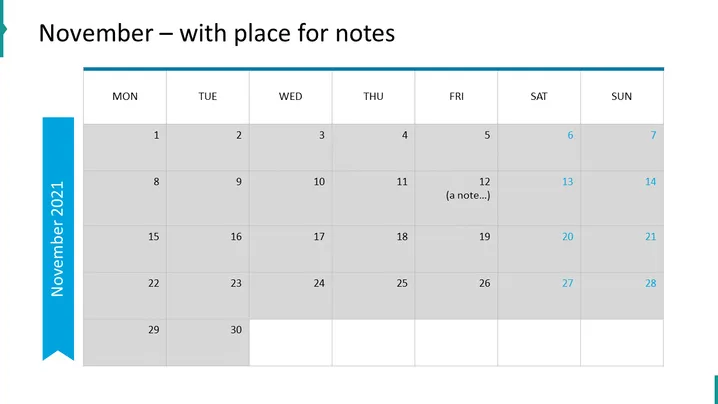
November – with place for notes
Slide Content
The slide appears to be a simple calendar template for the month of November, showing the days of the week and numerical dates in a grid format. Notably, there is a space designated for notes on the 12th. This suggests that the slide could be used to mark important events or tasks, with the ability to add annotations for specific dates, enhancing organization and planning within a presentation.
Graphical Look
- The slide has a light blue vertical banner on the left side with the text "November 2021".
- A horizontal header row shows the days of the week from "MON" to "SUN" with a blue background.
- A grid layout dispays the dates for the month of November, with each cell representing one day.
- The cells alternate shades of grey for visual separation.
- The number "12" includes a sample note in parentheses, demonstrating where notes could be added on the calendar.
- The overall design is clean, with a professional appearance that effectively communicates a month's schedule at a glance.
The slide has a minimalist and professional aesthetic, utilizing a muted color scheme for clear readability. The presence of a notes section indicates functionality beyond a simple visual aid, providing interactive potential for the presenter.
Use Cases
- For scheduling and outlining important business events, deadlines, or milestones for the month during a monthly briefing.
- As part of a project management presentation to visually represent project timelines, key dates, and deliverable deadlines.
- In a personal planning or time management seminar, to illustrate how to effectively allocate time and set personal or professional goals.
- For educational or academic presentations to highlight exam schedules, assignment due dates, or holiday breaks.
How to Edit
How to edit text & colors

How to expand / shorten diagram

How to Replace Icons in infoDiagram PPT


