
Reviews
Your graphics add a nice touch to my presentations and I recently used them for one of my all-hands meetings. Your toolbox adds professionalism to my slides. Instead of using standard clipart.
I needed a fresh look at some of my slides. I've tried to find a way to create a paintbrush effect, to underline, accentuate, add some color and the handwritten markers were just the things. Very easy to use, easy to size, change the color. It was an affordable, perfect solution and I'm happy to recommend it.
The crisp, clean look of the graphics, and the fact that it allowed me to easily edit and change the colors to match the template was my main reason for purchasing them.
Description
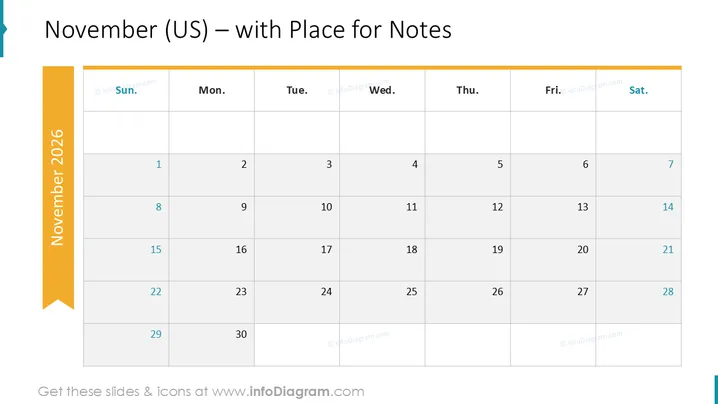
November (US) – with Place for Notes
Slide Content
The slide presents a monthly calendar layout for November (presumably of the year 2026 ), clearly labeled to indicate it's the US version and includes a space for notes. It starts with Sunday on the left, following the typical US convention. Each week is organized horizontally from Sunday to Saturday, and the dates are marked from the first to the thirtieth of November. The calendar's straightforward design is aimed at providing an overview of the month, with empty cells representing days to input schedule details, events, or notes.
Graphical Look
- The slide features a large, bold title at the top in a dark font.
- A teal ribbon on the left edge highlights 'November 2025'.
- The days of the week are displayed in a row at the top below the title, each atop their respective column.
- Dates are distributed in a grid, with each row representing a week.
- The background of the slide is white, with the calendar grid lines in a light grey, creating subtle contrast without overwhelming the content.
- The font color for the dates is dark, offering high visibility against the white background.
The slide has a clean and professional appearance, with a color scheme that is easy on the eyes. The layout is designed for practical use, emphasizing clarity and straightforwardness.
Use Cases
- Project planning sessions to outline key dates and deliverables for the upcoming month.
- Educational settings to schedule exams, holidays, and important academic deadlines.
- Corporate meetings to display employee vacation schedules or business event dates.
- Personal organization for individuals to track appointments, birthdays, or personal commitments.
How to Edit
How to edit text & colors

How to expand / shorten diagram

How to Replace Icons in infoDiagram PPT


