
Reviews
Your slides are my 'secret sauce' when it comes to visualising my ideas to clients. I'm saving so much time.
InfoDiagram has been a wonderful resource since I found the product site a few years ago.
Your slides often generate good comments and ideas from my team that improve the final slides.
Description
November (US)
Slide Content
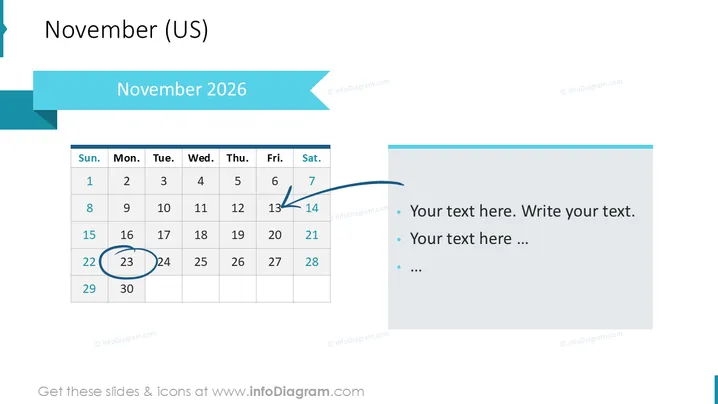
This PowerPoint slide presents a calendar for 'November 2026' with a focus on scheduling or to highlight important dates. The visual calendar occupies the left side of the slide, with the 17th circled, implying its significance. An arrow points to the 8th, indicating a possible event or milestone. On the right side, there is placeholder text suggesting where additional details or list items related to the calendar events could be included.
Graphical Look
- The slide background is white, providing a clean and neutral canvas.
- A teal ribbon spans the top of the slide, containing the slide title "November 2025" in white font.
- Below the title ribbon, there is a larger teal band with a cut corner, giving a modern layered effect.
- A traditional grid-style calendar is on the left, showing the days of the week and dates for November.
- The 17th is encircled with a thin blue stroke, drawing attention to this date.
- A curved blue arrow originates from the bottom right and points to the 8th on the calendar, indicating a notable event or start date.
- To the right of the calendar, there's a rectangular text box with a teal header matching the slide's color theme. It contains bullet points with placeholder text.
The overall look of the slide is clean and professional, with a cohesive color scheme that emphasizes elements of focus. The design is straightforward, focusing on functionality and space for annotations or explanations.
Use Cases
- To present key dates and deadlines in a project timeline.
- For outlining the schedule of a conference or corporate event occurring in November.
- As part of a monthly report to highlight performance metrics or important occurrences for that month.
- To inform team members of upcoming milestones or deliverables in a project plan.
How to Edit
How to edit text & colors

How to expand / shorten diagram

How to Replace Icons in infoDiagram PPT


