
Reviews
Your graphics add a nice touch to my presentations and I recently used them for one of my all-hands meetings. Your toolbox adds professionalism to my slides. Instead of using standard clipart.
I needed a fresh look at some of my slides. I've tried to find a way to create a paintbrush effect, to underline, accentuate, add some color and the handwritten markers were just the things. Very easy to use, easy to size, change the color. It was an affordable, perfect solution and I'm happy to recommend it.
The crisp, clean look of the graphics, and the fact that it allowed me to easily edit and change the colors to match the template was my main reason for purchasing them.
Description
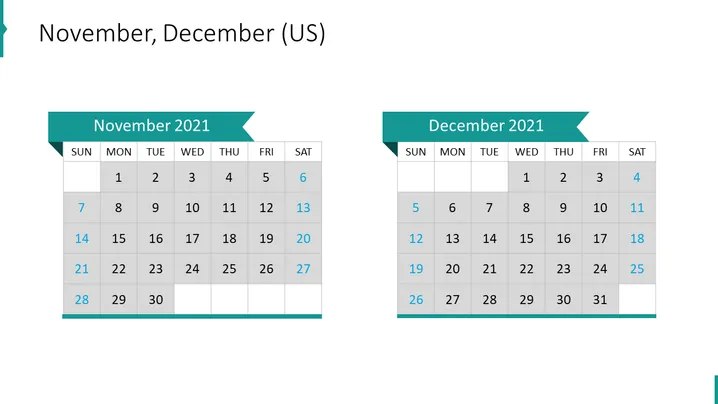
November, December (US)
Slide Content
The slide presents two monthly calendars for November 2021 and December 2021, with each month in its own table grid showing dates from Sunday to Saturday. November starts on a Monday and ends on a Tuesday, while December starts on a Wednesday and ends on a Friday. The tables for each month are highlighted with a colored header that indicates the month and year. This layout allows the audience to view important dates, plan for events, and see how the days of the week align for each month.
Graphical Look
- The slide has a light blue background with two calendars placed side by side.
- Each calendar has a dark teal header with a lighter teal ribbon shape containing the month and the year written in white.
- Days of the week are listed at the top of each calendar and dates are presented in individual grey and white cells for contrast.
- The calendar for November shows 30 days and the calendar for December shows 31 days.
The slide utilizes a simple and clean design, with contrasting colors to differentiate between the header and the calendar days. Its visual composition is balanced, with each calendar occupying an equal amount of space and positioned symmetrically.
Use Cases
- To present the timeline for a project, highlighting important milestones or deadlines within these two months.
- As part of a scheduling presentation to allocate resources or assign tasks for the end of the year.
- For summarizing completed tasks or events that occurred within these months during annual review meetings.
- In a personal planner or agenda during workshops or training sessions to illustrate periods of activity or rest.
How to Edit
How to edit text & colors

How to expand / shorten diagram

How to Replace Icons in infoDiagram PPT


