

Your graphics add a nice touch to my presentations and I recently used them for one of my all-hands meetings. Your toolbox adds professionalism to my slides. Instead of using standard clipart.
Claude Jones, Director of Engineer, @Walmartlabs, USA

Your graphics add a nice touch to my presentations and I recently used them for one of my all-hands meetings. Your toolbox adds professionalism to my slides. Instead of using standard clipart.
Claude Jones, Director of Engineer, @Walmartlabs, USA
I needed a fresh look at some of my slides. I've tried to find a way to create a paintbrush effect, to underline, accentuate, add some color and the handwritten markers were just the things. Very easy to use, easy to size, change the color. It was an affordable, perfect solution and I'm happy to recommend it.
Anonymous, US
The crisp, clean look of the graphics, and the fact that it allowed me to easily edit and change the colors to match the template was my main reason for purchasing them.
Brandie Jenkins, E-learning Developer, USA
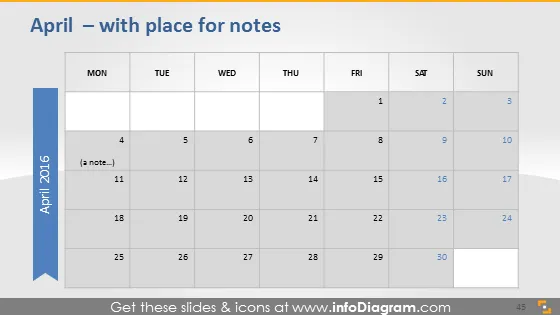
The slide appears to be a calendar for the month of April 2016, offering a straightforward view of the days and weeks. Each week row accommodates seven days, starting with Monday and ending with Sunday. The dates are presented in individual cells with the weekends highlighted differently than weekdays. The first week of April starts on Friday, which indicates that days before Friday are from the previous month and are not the focus of this calendar. There's a dedicated space labeled "(a note...)" suggesting it can be used to jot down important information for particular days.
The overall look of the slide is clean and professional with a simple color scheme, which emphasizes readability and utility. The contrasting colors for weekends make it easy to distinguish different parts of the week at a glance.



