
Reviews
Sus gráficos añaden un toque agradable a mis presentaciones y recientemente los usé para una de mis reuniones generales. Su conjunto de herramientas añade profesionalismo a mis diapositivas. En lugar de usar imágenes prediseñadas estándar.
Necesitaba un aspecto fresco para algunas de mis diapositivas. Había intentado encontrar una forma de crear un efecto de pincel, de subrayar, acentuar, añadir algo de color y los marcadores escritos a mano fueron justo lo que necesitaba. Muy fácil de usar, fácil de ajustar el tamaño, cambiar el color. Fue una solución asequible y perfecta, y estoy feliz de recomendarla.
El aspecto nítido y limpio de los gráficos, y el hecho de que me permitiera editar y cambiar fácilmente los colores para que coincidieran con la plantilla fue mi principal razón para comprarlos.
Description
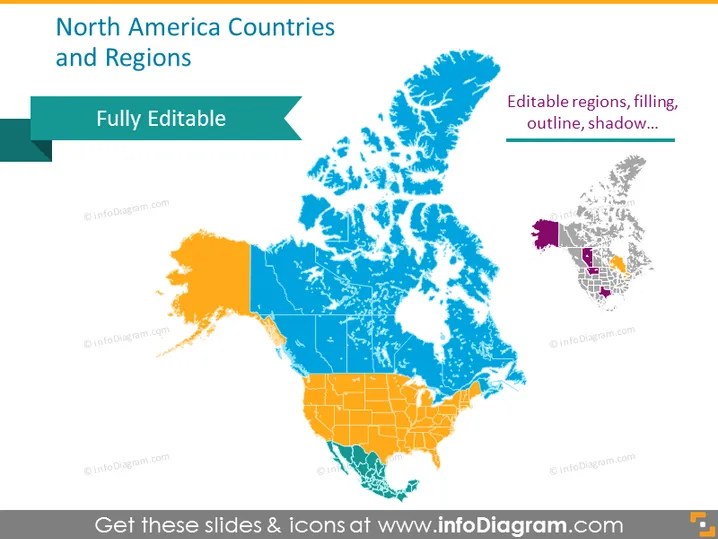
North America Countries and Regions
Slide Content
The PowerPoint slide emphasizes that the map of North America is "Fully Editable," suggesting that regions within it can be adjusted to one's preferences such as filling, outline, and shadow. The main focus of the slide is a colorful map of North America, displaying different countries and regions, which are distinguished by various colors to allow for easy differentiation and customization.
Graphical Look
- A teal ribbon banner across the top left corner containing the words "Fully Editable."
- Main map graphic of North America in the center with varying shades of blue and orange, prominently displaying the divisions between countries.
- A smaller map in the top right corner, with a portion highlighted in purple and an arrow pointing towards it, indicating a specific region or detail.
- Text on the right of the smaller map describes features such as "Editable regions, filling, outline, shadow..."
- A drop shadow effect under the main map enhances the visual depth of the slide.
The overall look of the slide is modern and professional, with a clear focus on the editable map of North America. The color scheme is vibrant and makes the slide visually attractive.
Use Cases
- Presenting geographic business expansion plans or current operations across North America.
- Educational settings where a visual aid is needed to teach about the geography of North America.
- Visualizing regional data, such as sales figures or demographic information in a corporate presentation.
- Customizing the map for specific presentations that require highlighting certain regions for strategic planning or communications.
How to Edit
How to edit text & colors

How to expand / shorten diagram

How to Replace Icons in infoDiagram PPT


