
Reviews
Your graphics add a nice touch to my presentations and I recently used them for one of my all-hands meetings. Your toolbox adds professionalism to my slides. Instead of using standard clipart.
I needed a fresh look at some of my slides. I've tried to find a way to create a paintbrush effect, to underline, accentuate, add some color and the handwritten markers were just the things. Very easy to use, easy to size, change the color. It was an affordable, perfect solution and I'm happy to recommend it.
The crisp, clean look of the graphics, and the fact that it allowed me to easily edit and change the colors to match the template was my main reason for purchasing them.
Description
Iceland – Administrative Division Regions
Slide Content
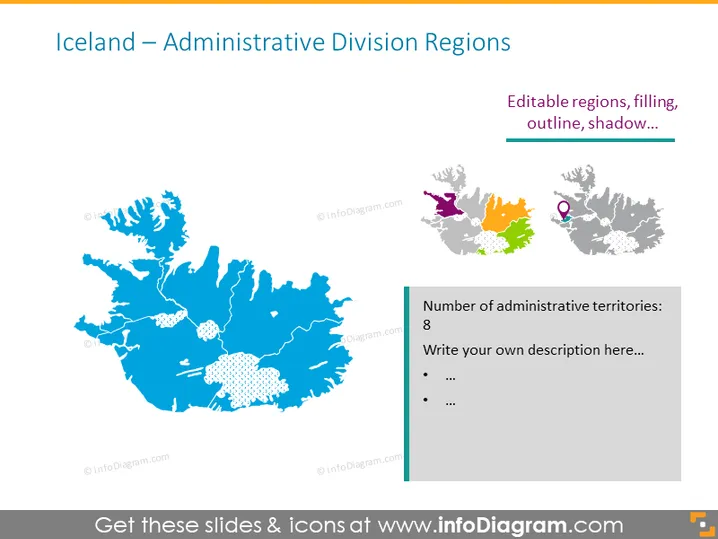
The slide features a title "Iceland – Administrative Division Regions" and shows a visual representation of Iceland's administrative regions. There are two maps; the larger one is filled with a solid color, while the smaller map to the right is color-coded to distinguish different regions. A text box highlights that there are "8" administrative territories and prompts users to "Write your own description here..." with bullet points to be expanded upon, explaining the significance of each territory or relevant information.
Graphical Look
- The slide background is plain white, providing a clean and neutral backdrop for content.
- A large, blue map of Iceland occupies the left side of the slide, with its administrative divisions outlined by white lines.
- Smaller, color-coded maps of Iceland are placed in the top-right corner, with each region in a different color and a purple location pin on one of them.
- A thick, dark blue horizontal line runs beneath the heading, providing visual separation from the rest of the content.
- A rectangular text box to the right of the large map has a thick border colored in a lighter shade of blue.
- Inside this box, there is a number "8" in bold, indicating the number of regions, followed by a placeholder text and bullet points for additional description.
- All text on the slide is in shades of dark gray or blue, for coherence with the overall color scheme.
The slide has a clean, professional look, with a well-organized layout that makes it easy to differentiate between the graphic representation of Iceland and the textual information. The use of a limited color palette, mostly blue and gray tones, gives the slide a cohesive and modern appearance.
Use Cases
- Presenting an overview of Iceland's administrative regions in an educational setting, such as a geography class.
- Using in a business context to analyze regional markets or logistical considerations within Iceland.
- Including in a travel or tourism presentation to highlight different destinations and their characteristics in Iceland.
- Incorporating into governmental or policy presentations that focus on regional planning, resource allocation, or administrative matters in Iceland.
How to Edit
How to edit text & colors

How to expand / shorten diagram

How to Replace Icons in infoDiagram PPT


