

Your graphics add a nice touch to my presentations and I recently used them for one of my all-hands meetings. Your toolbox adds professionalism to my slides. Instead of using standard clipart.
Claude Jones, Director of Engineer, @Walmartlabs, USA

Your graphics add a nice touch to my presentations and I recently used them for one of my all-hands meetings. Your toolbox adds professionalism to my slides. Instead of using standard clipart.
Claude Jones, Director of Engineer, @Walmartlabs, USA
I needed a fresh look at some of my slides. I've tried to find a way to create a paintbrush effect, to underline, accentuate, add some color and the handwritten markers were just the things. Very easy to use, easy to size, change the color. It was an affordable, perfect solution and I'm happy to recommend it.
Anonymous, US
The crisp, clean look of the graphics, and the fact that it allowed me to easily edit and change the colors to match the template was my main reason for purchasing them.
Brandie Jenkins, E-learning Developer, USA
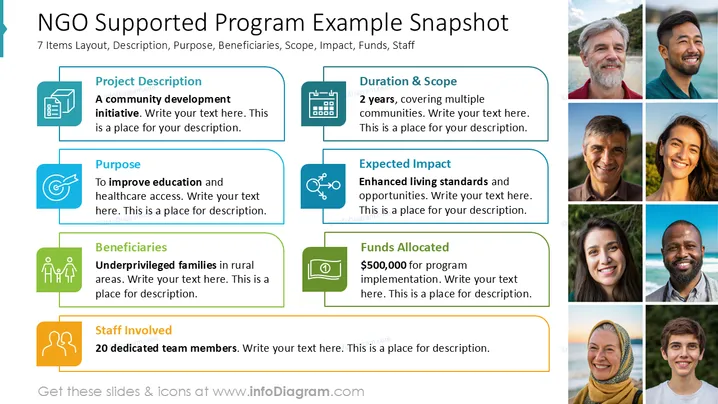
The slide presents an overview of an NGO's supported program, covering aspects such as Project Description, Purpose, Beneficiaries, Duration & Scope, Expected Impact, Funds Allocated, and Staff Involved. The project is a community development initiative aiming to improve education and healthcare access, specifically benefiting underprivileged families in rural areas. It spans 2 years covered across multiple communities, with an expected enhancement in living standards. A budget of $500,000 is allocated, supported by 20 dedicated team members.
The slide is visually balanced using a consistent color scheme and clear layout, making information easy to follow and aesthetically pleasant. The use of icons helps in quickly identifying key topics.



