
Reviews
Your graphics add a nice touch to my presentations and I recently used them for one of my all-hands meetings. Your toolbox adds professionalism to my slides. Instead of using standard clipart.
I needed a fresh look at some of my slides. I've tried to find a way to create a paintbrush effect, to underline, accentuate, add some color and the handwritten markers were just the things. Very easy to use, easy to size, change the color. It was an affordable, perfect solution and I'm happy to recommend it.
The crisp, clean look of the graphics, and the fact that it allowed me to easily edit and change the colors to match the template was my main reason for purchasing them.
Description
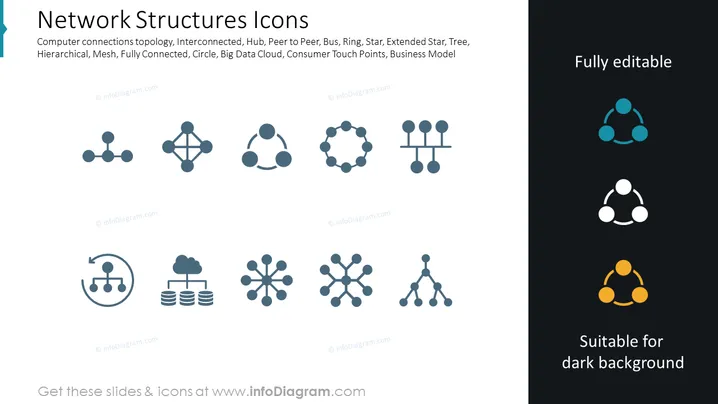
Network Structures Icons
Slide Content
The slide features an array of icons representing various network structures used to conceptualize different types of computer network topologies. These include the interconnected topology where systems connect in a loosely structured network; hub/spoke topology resembling a central connection point with radials; peer-to-peer, denoting a decentralized network structure; bus, signifying a shared communication line; ring, indicating a circular connection loop; star/topology where all nodes connect to a central node; extended star, a variation with additional intermediary devices; tree, representing a hierarchical branch structure; hierarchical, denoting layered levels of control or functionality; mesh, where each node connects to several others for redundancy; fully connected, meaning all nodes are directly interconnected; and others like circle, big data cloud, consumer touch points, and business model.
Graphical Look
- Two columns separate icon representations: the larger left column and a narrow right column with icons on a dark background.
- A total of twelve icons depict various network structures using simple geometric shapes and lines.
- Icons are uniformly styled with a monochrome teal color against a white background in the left column.
- The right column features the same icons recolored to white and orange to demonstrate their adaptability to dark backgrounds.
- The text "Fully editable" is placed in the top right corner, contrasting in white against the dark blue background.
- "Suitable for dark background" text parallel to the icons on the right, clarifying the purpose of these recolored icons.
- Slide background is a clean, white field seamlessly integrating the graphic elements.
- Icons are balanced and aligned, creating an organized and clean visual composition.
The slide presents a professional and clean design, focused on visual representation of networking concepts. The straightforward icons are designed with minimalistic aesthetic for easy comprehension.
Use Cases
- To explain the types of network topologies in educational and training settings.
- To visualize different networking models during IT infrastructure planning discussions.
- As part of a technical presentation for non-technical stakeholders to simplify complex network configurations.
- In sales or marketing presentations to depict how a product or service integrates with various network structures.
How to Edit
How to edit text & colors

How to expand / shorten diagram

How to Replace Icons in infoDiagram PPT


