
Reviews
Your graphics add a nice touch to my presentations and I recently used them for one of my all-hands meetings. Your toolbox adds professionalism to my slides. Instead of using standard clipart.
I needed a fresh look at some of my slides. I've tried to find a way to create a paintbrush effect, to underline, accentuate, add some color and the handwritten markers were just the things. Very easy to use, easy to size, change the color. It was an affordable, perfect solution and I'm happy to recommend it.
The crisp, clean look of the graphics, and the fact that it allowed me to easily edit and change the colors to match the template was my main reason for purchasing them.
Description
Editability of Stroke in Outline Shapes & Icons
Slide Content
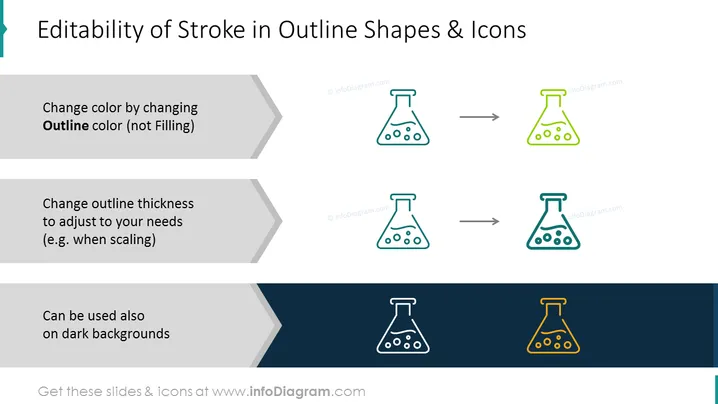
The PowerPoint slide presents information about the "Editability of Stroke in Outline Shapes & Icons." It illustrates three key points: changing color by altering the outline rather than the filling, adjusting the outline's thickness to suit different needs such as scaling, and the possibility of using outline icons on dark backgrounds. Each point is paired with a visual example of a flask icon to demonstrate the described concept.
Graphical Look
- The slide has a clean, modern design with a light background and a dark blue lower section.
- There are three horizontally aligned pairs of outlined flask icons; each pair demonstrates a different aspect of editability.
- Arrows are situated between the pairs of icons, signifying transformation or change from one state to another.
- The text corresponding to each pair of icons is on the left, with the descriptive points inside of a chevron-shaped banner in varying shades of grey to create a visual hierarchy.
- The slide utilizes a sans-serif font for the text, maintaining a professional and contemporary appearance.
The slide's overall look is professional and simplistic, utilizing a limited color palette and geometric shapes to convey information clearly and effectively.
Use Cases
- To instruct designers on customizing vector graphics within presentations or documents.
- As part of a training session for non-designers to modify pre-made presentation templates effectively.
- In a workshop demonstrating graphic design basics to employees creating internal company materials.
- During a sales pitch to display the adaptability of branded visual assets for various marketing materials.
How to Edit
How to edit text & colors

How to expand / shorten diagram

How to Replace Icons in infoDiagram PPT


