
Reviews
Your slides are my 'secret sauce' when it comes to visualising my ideas to clients. I'm saving so much time.
InfoDiagram has been a wonderful resource since I found the product site a few years ago.
Your slides often generate good comments and ideas from my team that improve the final slides.
Description
Multicolor Icons Set
Slide Content
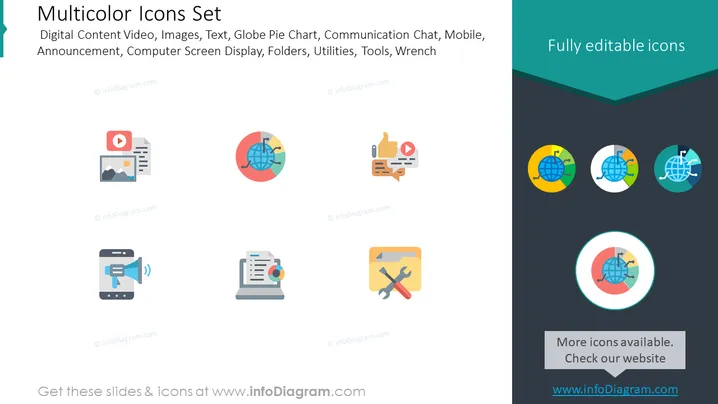
The PowerPoint slide titled "Multicolor Icons Set" showcases a collection of diverse icons representing various concepts commonly found in digital and communication contexts. The set comprises icons for:
- Digital Content Video, indicating multimedia resources
- Images, representing visual content
- Text, for written information
- Globe Pie Chart, depicting global statistics or distribution
- Communication Chat, resembling online messaging
- Mobile, signifying mobile technology or apps
- Announcement, for news dissemination or alerts
- Computer Screen Display, illustrating digital interfaces
- Folders, suggesting file organization
- Utilities, generally pointing to functional software or services
- Tools, indicating maintenance or construction capabilities
- Wrench, representing repair or adjustment functions
Graphical Look
- The slide background is divided into two tones, with a light gray upper half and a dark gray lower half.
- At the top, the slide title "Multicolor Icons Set" is centered in large, bold, white text.
- There is a subtitle below the title, listing the types of icons included, written in a smaller font and using a lighter shade.
- A row of colorful icons is displayed in the middle of the slide on the light gray background.
- These icons include stylized representations of a play button with text, a globe within a pie chart, a thumbs-up next to a play button and text, a mobile phone with a sound symbol, a document with a graph, and a folder with tools overlaid.
- Another row of icons on the dark gray background shows the globe pie chart in three color variations and a central circle highlighting it.
- An additional text box at the bottom right corner states, "Fully editable icons."
- A small, centered text box at the bottom of the slide states, "More icons available. Check our website" with a web link.
The slide features a clean, modern design with a flat aesthetic. The icons are simple yet descriptive, dressed in vibrant colors that stand out against the dual-tone background.
Use Cases
- To illustrate various topics or sections within a business presentation or a tech-oriented seminar through visually engaging symbols.
- As part of a user interface design or software development presentation to show the available icons for different functions and features.
- In marketing materials or client proposals, to quickly communicate the range of services or features offered by a company or product.
- During educational or training sessions, to provide a visual guide to the functionalities of a digital platform or toolkit.
How to Edit
How to edit text & colors

How to expand / shorten diagram

How to Replace Icons in infoDiagram PPT


