
Reviews
Your graphics add a nice touch to my presentations and I recently used them for one of my all-hands meetings. Your toolbox adds professionalism to my slides. Instead of using standard clipart.
I needed a fresh look at some of my slides. I've tried to find a way to create a paintbrush effect, to underline, accentuate, add some color and the handwritten markers were just the things. Very easy to use, easy to size, change the color. It was an affordable, perfect solution and I'm happy to recommend it.
The crisp, clean look of the graphics, and the fact that it allowed me to easily edit and change the colors to match the template was my main reason for purchasing them.
Description
Your sample text here
Slide Content
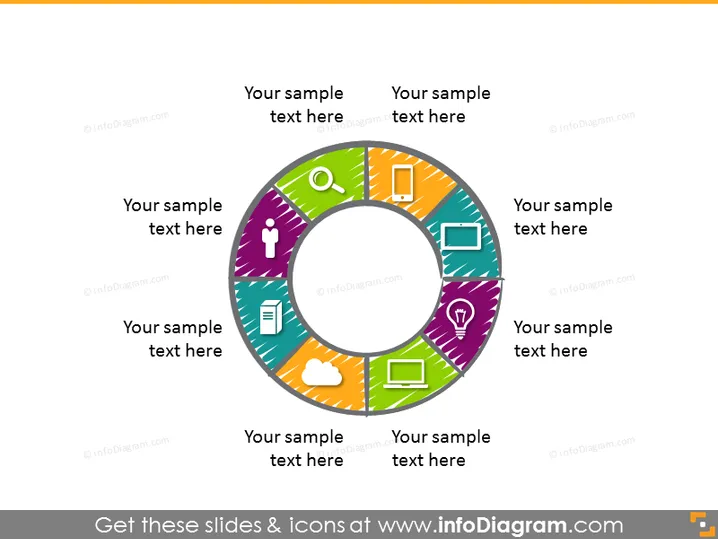
The PowerPoint slide features a central circular diagram with eight segments, each associated with a different icon and color, representing diverse elements of a system or a multi-faceted concept. Each segment has a placeholder for text, suggesting that it can be customized to explain the specific part of the concept it represents. This type of diagram is commonly used to illustrate a complete picture, showing how different parts relate to form a whole.
Graphical Look
- The focal point of the slide is a large, multicolored circular diagram in the center.
- Each segment of the circular diagram has a unique color ranging from purple to orange, creating a vibrant spectrum.
- A distinct icon is placed towards the center of each segment, representing different concepts or components.
- There are text placeholders adjacent to each segment for explanatory notes or labels.
- The circular diagram has a three-dimensional shadow effect, giving the appearance of being elevated from the slide surface.
- The background of the slide is a simple, clean, light gray.
The slide has a modern and sleek design with a colorful and engaging infographic that attracts attention. The clear segmentation with icons and text boxes makes it effective for showcasing relationships or components of a complex system.
Use Cases
- To illustrate a business model where each segment represents a component like marketing, sales, or operations.
- For explaining different phases of a project, with each segment denoting a specific phase, like ideation, development, or launch.
- As a visual tool to display the range of services offered by a company, where each segment corresponds to a particular service.
- In educational presentations to demonstrate the interconnectivity of different subjects or elements within a curriculum.
How to Edit
How to edit text & colors

How to expand / shorten diagram

How to Replace Icons in infoDiagram PPT


