
Reviews
Your graphics add a nice touch to my presentations and I recently used them for one of my all-hands meetings. Your toolbox adds professionalism to my slides. Instead of using standard clipart.
I needed a fresh look at some of my slides. I've tried to find a way to create a paintbrush effect, to underline, accentuate, add some color and the handwritten markers were just the things. Very easy to use, easy to size, change the color. It was an affordable, perfect solution and I'm happy to recommend it.
The crisp, clean look of the graphics, and the fact that it allowed me to easily edit and change the colors to match the template was my main reason for purchasing them.
Description
Moods Smileys Icons
Slide Content
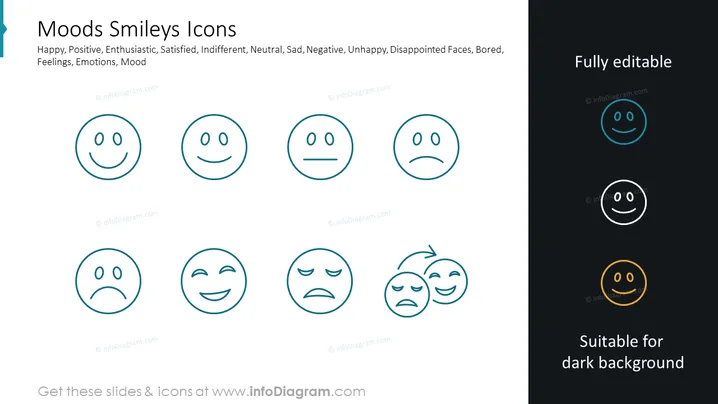
The PowerPoint slide is titled "Moods Smileys Icons" and presents a collection of emoticons that represent various human emotions and states of mind. The emoticons capture a wide range of moods from positive feelings like happiness and enthusiasm to negative ones such as sadness and unhappiness, including states of satisfaction, indifference, and boredom. This variety of emoticons can serve as an engaging visual aid to communicate the emotional spectrum in presentations.
Graphical Look
- The slide has a clean white background with three columns of emoticons.
- There are eight circular emoticons each depicting a different mood through facial expressions.
- The emoticons are designed with minimalist line art, using a single color for simplicity and clarity.
- On the right side, there are three additional emoticons, each with a different background highlighting their adaptability for different slide backgrounds.
- The top-right emoticon has a teal circle, the middle-right has a black circle, and the bottom-right has a gold circle.
- Above the right column, there is text stating "Fully editable" in bold, with a smaller "Suitable for dark background" caption underneath the corresponding emoticons.
- Each emoticon in the right column corresponds to the color of its background circle, demonstrating the color variation options for different presentation themes.
The slide is designed with a modern and simplistic aesthetic, making use of clean lines and a limited color palette. The use of uniform circular shapes and consistent line art style across all emoticons provides a cohesive visual experience.
Use Cases
- To visually represent customer feedback or audience emotions in market research presentations.
- For highlighting employee satisfaction levels during human resources or team meetings.
- In user experience (UX) design presentations to represent different user reactions to a product or interface.
- As part of educational materials to teach about emotional intelligence and recognition of feelings.
How to Edit
How to edit text & colors

How to expand / shorten diagram

How to Replace Icons in infoDiagram PPT


