
Reviews
Sus gráficos añaden un toque agradable a mis presentaciones y recientemente los usé para una de mis reuniones generales. Su conjunto de herramientas añade profesionalismo a mis diapositivas. En lugar de usar imágenes prediseñadas estándar.
Necesitaba un aspecto fresco para algunas de mis diapositivas. Había intentado encontrar una forma de crear un efecto de pincel, de subrayar, acentuar, añadir algo de color y los marcadores escritos a mano fueron justo lo que necesitaba. Muy fácil de usar, fácil de ajustar el tamaño, cambiar el color. Fue una solución asequible y perfecta, y estoy feliz de recomendarla.
El aspecto nítido y limpio de los gráficos, y el hecho de que me permitiera editar y cambiar fácilmente los colores para que coincidieran con la plantilla fue mi principal razón para comprarlos.
Description
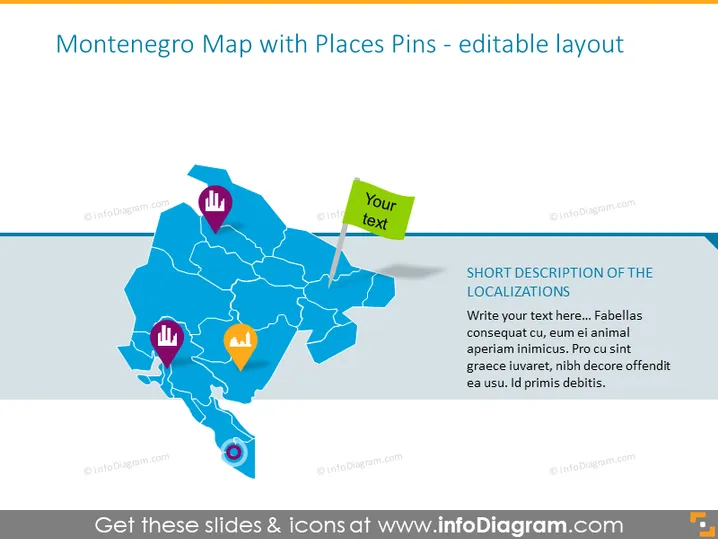
Montenegro Map with Places Pins - editable layout
Slide Content
The PowerPoint slide is designed to showcase various points of interest or significant locations within Montenegro. It includes a stylized map of the country, marked with four labeled pins. Each pin is paired with an icon that could represent different types of locations such as cities, landmarks, businesses, or other aspects of interest. The green pin includes a text box for customization. Additionally, there's a placeholder for a short description of the locations on the right-hand side, inviting the presenter to add personalized text relevant to the displayed points.
Graphical Look
- A large, blue-colored map of Montenegro occupies the majority of the slide space.
- Four pins with different icons on top each, representing different points of interest:
- A purple pin with a building icon, typically indicative of a city or urban area.
- Another purple pin with what seems to be a chart icon, probably denoting an area related to business or statistics.
- An orange pin with a location marker icon, potentially signaling a specific place of interest, such as a tourist destination.
- A blue pin located towards the southern part of the map with an eye icon, suggesting a site worth seeing, like a viewpoint.
- A green sticky note graphic with a white border and a shadow effect contains the text "Your text," indicating a placeholder for customization.
- A text box on the right side with a semi-transparent white background holds a heading and body text, both of which are placeholder text for a description of the localizations.
The slide is visually engaging with a clear focus on the map and marked locations. The use of colorful pins and icons makes it easy to differentiate between the various points, and the sticky note adds a creative touch to the invitation for personalized text.
Use Cases
- Presenting a business strategy that targets specific geographical locations within Montenegro.
- Showcasing tourist attractions or points of interest in Montenegro to travel agencies , tour operators, or within promotional tourism materials.
- Illustrating the locations of company branches, retail outlets or real estate portfolios within the country.
- Using it in educational settings to teach geography or cultural studies related to Montenegro.
How to Edit
How to edit text & colors

How to expand / shorten diagram

How to Replace Icons in infoDiagram PPT


