
Reviews
Sus gráficos añaden un toque agradable a mis presentaciones y recientemente los usé para una de mis reuniones generales. Su conjunto de herramientas añade profesionalismo a mis diapositivas. En lugar de usar imágenes prediseñadas estándar.
Necesitaba un aspecto fresco para algunas de mis diapositivas. Había intentado encontrar una forma de crear un efecto de pincel, de subrayar, acentuar, añadir algo de color y los marcadores escritos a mano fueron justo lo que necesitaba. Muy fácil de usar, fácil de ajustar el tamaño, cambiar el color. Fue una solución asequible y perfecta, y estoy feliz de recomendarla.
El aspecto nítido y limpio de los gráficos, y el hecho de que me permitiera editar y cambiar fácilmente los colores para que coincidieran con la plantilla fue mi principal razón para comprarlos.
Description
Monocolor Darts Infographics – 6 Elements
Slide Content
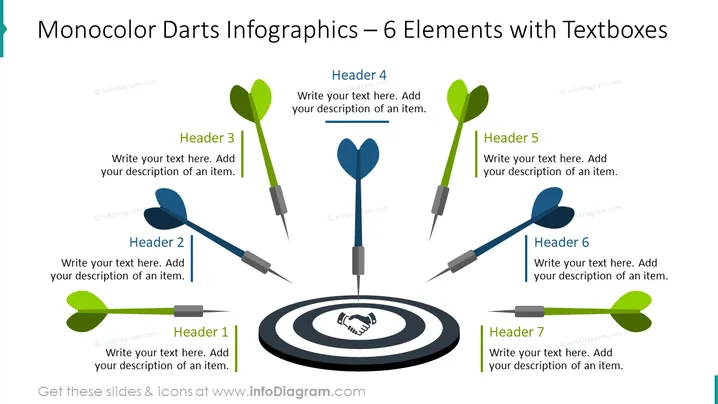
This PowerPoint slide, titled "Monocolor Darts Infographics – 6 Elements," presents a central concept, the bullseye, surrounded by six dart icons pointing towards it. Each dart is associated with a different header (Header 1 to Header 6) and an adjoining text box where a description of an item can be added. The metaphor of darts hitting a target is often used to represent achieving goals, precision in execution, or addressing specific points within a broader topic.
Graphical Look
- Central to the slide is a bullseye target graphic in shades of grey and black with a handshake silhouette in the center circle.
- Surrounding the bullseye are six darts, equally spaced and directed towards the target.
- Each dart has a corresponding color-highlighted header (Headers 1 to 6).
- Next to each header is a text box for adding a description pertaining to that element.
- The darts and headers are colored in two shades: three in green and three in blue.
- The darts are three-dimensional with a slight shadow, giving them a realistic appearance.
- Text placeholders are provided for each header and description to be filled in with relevant content.
The slide is visually balanced, with a mix of graphical elements and text boxes. The symmetrical arrangement with a central focal point and satellite elements creates a sense of harmony and focus.
Use Cases
- To showcase a company's key strategic objectives and how they converge towards a central goal.
- For presentations requiring a visual metaphor to discuss targeted results or pinpoint precision in various business operations.
- Ideal for marketing or sales presentations to illustrate core product features or service offerings targeting specific market segments.
- Useful in educational or training settings to highlight step-by-step processes directed towards achieving a specific outcome.
How to Edit
How to edit text & colors

How to expand / shorten diagram

How to Replace Icons in infoDiagram PPT


