
Reviews
Deine Folien sind meine 'geheime Zutat', wenn es darum geht, meine Ideen Kunden zu visualisieren. Ich spare so viel Zeit.
Ihre Folien führen oft zu guten Kommentaren und Ideen meines Teams, die die endgültigen Folien verbessern.
Description
Landscape Triangle Arrow Funnel 5 Pieces
Slide Content
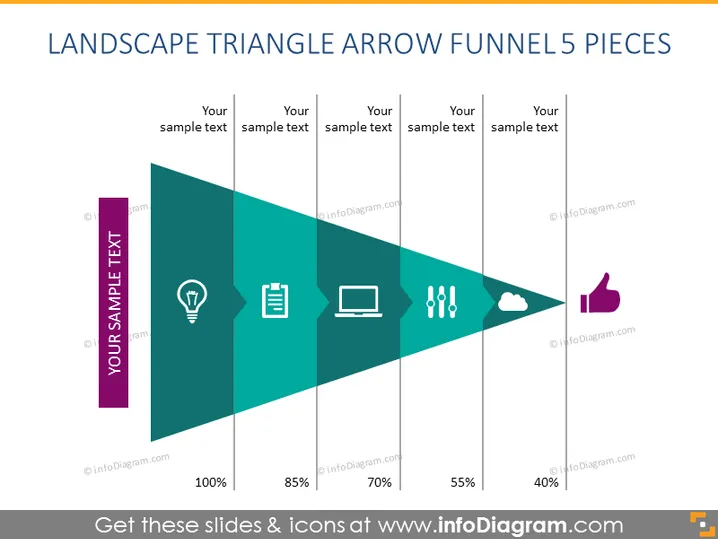
The slide displays a five-stage process diagram in the shape of a right-facing arrow, with each stage narrower than the previous to represent a funnel effect. It shows a progression or reduction with percentages and has icons symbolizing different concepts: a lightbulb for ideas, a clipboard for documentation, a laptop for technology or tasks, a group of dots for processes or flow, and a cloud with a thumbs-up for positive outcomes or cloud solutions. Each stage is labeled "Your sample text" to be customized with specific information.
Graphical Look
- The slide's main feature is a large, right-facing arrow composed of five segments, each representing a stage in a process.
- Every segment decreases in size from left to right, symbolizing a funnel or filtering process.
- Each segment is a different shade of teal, progressively getting lighter from the base to the arrowhead.
- Icons are placed in the center of each segment: a lightbulb, clipboard, laptop, three vertical dots, and a cloud with a thumbs-up.
- Percentages are shown below the arrow, starting with 100% at the base and decreasing to 40% at the arrowhead.
- The text placeholders marked "Your sample text" above each segment invite the user to add their descriptions.
- A bold vertical bar and title block are situated at the far left of the arrow, colored in a contrasting purple, containing the text "YOUR SAMPLE TEXT" for an introductory statement or stage name.
The overall look is modern and professional, with a clean design that uses color gradients and clear icons to represent different stages or concepts. The use of space and graphical elements makes the information easily discernible at a glance.
Use Cases
- Illustrating a process with decreasing stages, such as sales funnel stages, customer journey, or project phases.
- Showing a workflow or sequence where each step reduces in quantity or scope, for instance, filtering candidates in a recruitment process.
- Representing a set of actions with diminishing importance or size, like prioritizing tasks in a project.
- Visualizing data flow or information processing where there's a progressive refinement or consolidation of data.
How to Edit
How to edit text & colors

How to expand / shorten diagram

How to Replace Icons in infoDiagram PPT


