
Reviews
Sus gráficos añaden un toque agradable a mis presentaciones y recientemente los usé para una de mis reuniones generales. Su conjunto de herramientas añade profesionalismo a mis diapositivas. En lugar de usar imágenes prediseñadas estándar.
Necesitaba un aspecto fresco para algunas de mis diapositivas. Había intentado encontrar una forma de crear un efecto de pincel, de subrayar, acentuar, añadir algo de color y los marcadores escritos a mano fueron justo lo que necesitaba. Muy fácil de usar, fácil de ajustar el tamaño, cambiar el color. Fue una solución asequible y perfecta, y estoy feliz de recomendarla.
El aspecto nítido y limpio de los gráficos, y el hecho de que me permitiera editar y cambiar fácilmente los colores para que coincidieran con la plantilla fue mi principal razón para comprarlos.
Description
Inputs
Slide Content
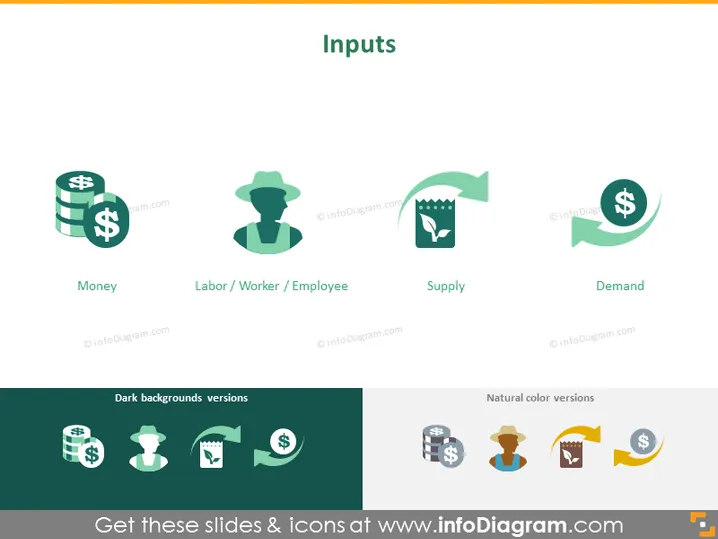
The PowerPoint slide titled "Inputs" illustrates the various elements that contribute to the production process or service provision. It features four key inputs: "Money," suggesting the importance of financial capital; "Labor/Worker/Employee," representing the human capital required; "Supply," indicating the necessary resources or stock to be transformed; and "Demand," referencing the market requirement for products or services.
Graphical Look
- The slide has a minimalistic and modern design.
- The title "Inputs" is at the top center in a large, bold font.
- Four colorful icons are aligned horizontally beneath the title, each representing a different input component.
- Each icon is accompanied by a label: "Money," "Labor / Worker / Employee," "Supply," and "Demand."
- The "Money" icon includes stacked coins.
- The "Labor/Worker/Employee" icon features a silhouette of a person wearing a hat.
- The "Supply" icon presents a factory motif with gears.
- The "Demand" icon shows a circular arrow embracing a dollar sign.
- Below the icons, there are two sections labeled "Dark backgrounds versions" and "Natural color versions," showcasing the icons adapted for different slide backgrounds.
The slide uses a clean, flat design with the use of white space around each icon and label, giving the slide a modern, uncluttered look.
Use Cases
- Explaining the fundamental economic principles in an academic or training setting.
- Outlining the necessary components for starting a business during an entrepreneurship presentation.
- Describing resource allocation in a strategic business plan presentation.
- Introducing key concepts in a market analysis report during a business meeting.
How to Edit
How to edit text & colors

How to expand / shorten diagram

How to Replace Icons in infoDiagram PPT


