
Reviews
Ihre Grafiken verleihen meinen Präsentationen eine nette Note, und ich habe sie kürzlich für eines meiner All-Hands-Meetings verwendet. Ihre Toolbox verleiht meinen Folien Professionalität, anstatt Standard-Clipart zu verwenden.
Ich brauchte einen neuen Blick auf einige meiner Folien. Ich habe versucht, einen Weg zu finden, einen Pinselschlag-Effekt zu erzielen, um zu unterstreichen, hervorzuheben, Farbe hinzuzufügen, und die handgeschriebenen Markierungen waren genau das Richtige. Sehr einfach zu bedienen, leicht in der Größe zu ändern, die Farbe zu ändern. Es war eine erschwingliche, perfekte Lösung und ich empfehle sie gerne weiter.
Die klare, saubere Optik der Grafiken und die Tatsache, dass ich die Farben leicht bearbeiten und an die Vorlage anpassen konnte, war mein Hauptgrund für den Kauf.
Description
Inputs
Slide Content
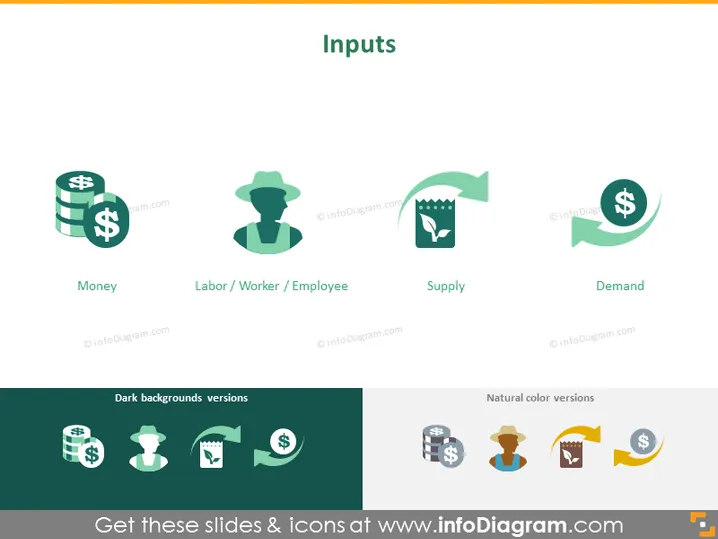
The PowerPoint slide titled "Inputs" illustrates the various elements that contribute to the production process or service provision. It features four key inputs: "Money," suggesting the importance of financial capital; "Labor/Worker/Employee," representing the human capital required; "Supply," indicating the necessary resources or stock to be transformed; and "Demand," referencing the market requirement for products or services.
Graphical Look
- The slide has a minimalistic and modern design.
- The title "Inputs" is at the top center in a large, bold font.
- Four colorful icons are aligned horizontally beneath the title, each representing a different input component.
- Each icon is accompanied by a label: "Money," "Labor / Worker / Employee," "Supply," and "Demand."
- The "Money" icon includes stacked coins.
- The "Labor/Worker/Employee" icon features a silhouette of a person wearing a hat.
- The "Supply" icon presents a factory motif with gears.
- The "Demand" icon shows a circular arrow embracing a dollar sign.
- Below the icons, there are two sections labeled "Dark backgrounds versions" and "Natural color versions," showcasing the icons adapted for different slide backgrounds.
The slide uses a clean, flat design with the use of white space around each icon and label, giving the slide a modern, uncluttered look.
Use Cases
- Explaining the fundamental economic principles in an academic or training setting.
- Outlining the necessary components for starting a business during an entrepreneurship presentation.
- Describing resource allocation in a strategic business plan presentation.
- Introducing key concepts in a market analysis report during a business meeting.
How to Edit
How to edit text & colors

How to expand / shorten diagram

How to Replace Icons in infoDiagram PPT


