
Reviews
Vos graphiques ajoutent une belle touche à mes présentations et je les ai récemment utilisés pour l'une de mes réunions générales. Votre boîte à outils ajoute du professionnalisme à mes diapositives. Au lieu d'utiliser des cliparts standards.
J'avais besoin d'un nouveau regard sur certaines de mes diapositives. J'ai essayé de trouver un moyen de créer un effet de pinceau, de souligner, d'accentuer, d'ajouter de la couleur et les marqueurs manuscrits étaient exactement ce qu'il fallait. Très facile à utiliser, facile à ajuster la taille, à changer la couleur. C'était une solution abordable et parfaite et je suis heureux de la recommander.
L'aspect net et épuré des graphiques, et le fait qu'il m'ait permis d'éditer et de changer facilement les couleurs pour les adapter au modèle, ont été les principales raisons de mon achat.
Description
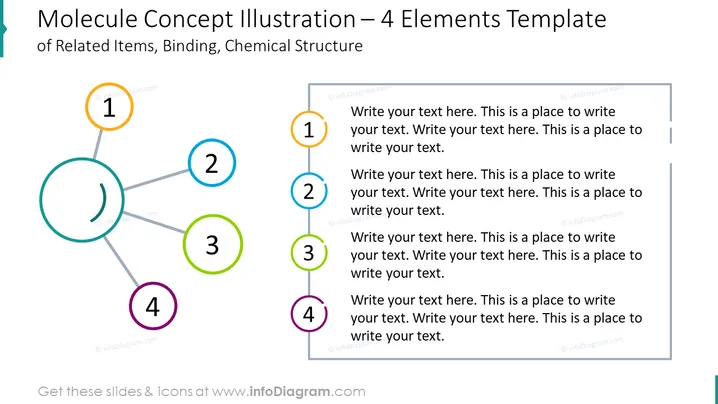
Molecule Concept Illustration – 4 Elements Template
Slide Content
This PowerPoint slide is titled "Molecule Concept Illustration – 4 Elements Template" and is themed around presenting concepts that are interconnected like a molecule. It depicts four numbered elements, each encircled by a different color, suggesting varied but related ideas. Lines connect these colored circles representing bonds or relationships between the ideas. Each element has a text box for further elaboration, indicating that this template is used to describe items that connect or interact with one another, which may be indicative of processes, teams, concepts, or components within a system.
Graphical Look
- The slide uses a simple white background which provides a neutral canvas for the content.
- Four circles represent the elements of a molecule, each with a unique color (orange, blue, green, and purple) and a number from 1 to 4 inside.
- The circles are connected by lines that resemble bonds, implying a network or relationship between the elements.
- Each circle is paired with a corresponding rectangle that contains placeholder text, inviting the user to write descriptive content related to each element.
- The placeholder text is repeated, with the phrase "Write your text here" to demonstrate where users should add their own descriptions.
- The lines and text boxes are arranged from left to right, leading the eye across the slide in a logical flow.
The slide employs a clean and modern design with a focus on clarity and ease of understanding. The color-coding and numbering clearly distinguish each element, making it visually easy to follow the relationships between them.
Use Cases
- To explain complex concepts that have multiple interconnected components in an easy-to-understand visual format.
- In business meetings to illustrate how different departments or team roles are interdependent.
- During strategy presentations to show how various parts of a plan or project interact and rely on each other.
- As a teaching tool to break down and describe the elements of a system in sciences like biology, chemistry , or social sciences, where understanding the connections is essential.
How to Edit
How to edit text & colors

How to expand / shorten diagram

How to Replace Icons in infoDiagram PPT


