
Reviews
Ihre Grafiken verleihen meinen Präsentationen eine nette Note, und ich habe sie kürzlich für eines meiner All-Hands-Meetings verwendet. Ihre Toolbox verleiht meinen Folien Professionalität, anstatt Standard-Clipart zu verwenden.
Ich brauchte einen neuen Blick auf einige meiner Folien. Ich habe versucht, einen Weg zu finden, einen Pinselschlag-Effekt zu erzielen, um zu unterstreichen, hervorzuheben, Farbe hinzuzufügen, und die handgeschriebenen Markierungen waren genau das Richtige. Sehr einfach zu bedienen, leicht in der Größe zu ändern, die Farbe zu ändern. Es war eine erschwingliche, perfekte Lösung und ich empfehle sie gerne weiter.
Die klare, saubere Optik der Grafiken und die Tatsache, dass ich die Farben leicht bearbeiten und an die Vorlage anpassen konnte, war mein Hauptgrund für den Kauf.
Description
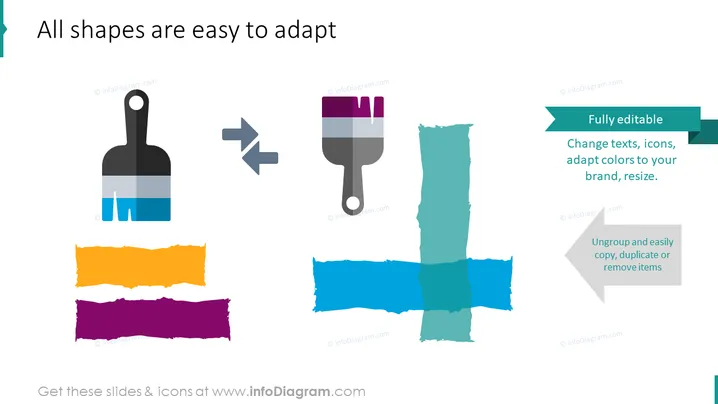
All shapes are easy to adapt
Slide Content
The slide is aimed at showcasing the adaptability of shapes in a presentation format. It emphasizes that all shapes are easy to adapt, with three key points: fully editable shapes, wherein text, icons can be changed, and colors can be adapted to a brand's theme; ungrouping capabilities to easily copy, duplicate, and remove items, providing flexibility in customization; and the ability to resize shapes, ensuring they fit well in various contexts within a presentation.
Graphical Look
- The slide background is white.
- On the top left, there is a blue paint brush icon with a transformation arrow pointing to a purple paint brush icon.
- Below the paint brush icons, there are two horizontal brush strokes in orange and purple, aligned horizontally with some overlap.
- On the right side, there are two text boxes with teal headers: the first says "Fully editable" with a bullet list explaining the editable features, and the second says "Ungroup and easily copy, duplicate or remove items."
- Each text box has an arrow coming from the corresponding paint brush icon to indicate transformation or action.
- Next to the text boxes, there are two teal brush strokes crossing each other.
The overall look of the slide is clean and modern, using colorful icons and brush strokes to visually represent the adaptability of slide elements. The graphics are simple yet effective, providing an engaging visual metaphor for the customization of presentation shapes.
Use Cases
- Demonstrating the customizability of slide assets during a presentation design workshop.
- Introducing a new templating tool to a team that will be creating branded presentations.
- As part of a sales pitch to potential clients who need user-friendly presentation software.
- Instructing employees on how to customize corporate presentation templates to align with specific project needs.
How to Edit
How to edit text & colors

How to expand / shorten diagram

How to Replace Icons in infoDiagram PPT


