
Reviews
Your graphics add a nice touch to my presentations and I recently used them for one of my all-hands meetings. Your toolbox adds professionalism to my slides. Instead of using standard clipart.
I needed a fresh look at some of my slides. I've tried to find a way to create a paintbrush effect, to underline, accentuate, add some color and the handwritten markers were just the things. Very easy to use, easy to size, change the color. It was an affordable, perfect solution and I'm happy to recommend it.
The crisp, clean look of the graphics, and the fact that it allowed me to easily edit and change the colors to match the template was my main reason for purchasing them.
Description
Modern HR Systems Definition
Slide Content
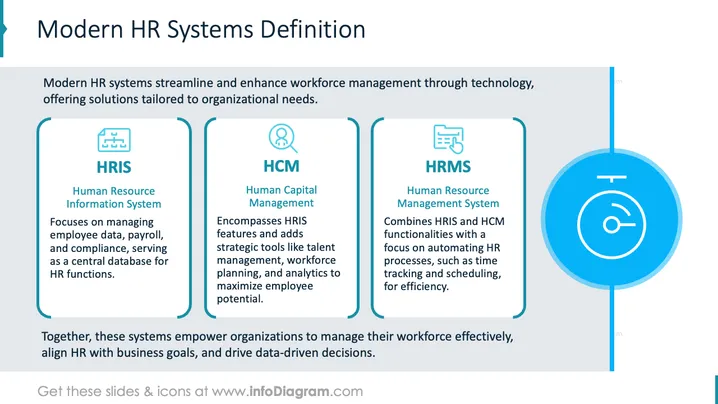
Modern HR systems enhance workforce management with technology tailored to organizational needs. The slide outlines three systems:
- HRIS (Human Resource Information System): Manages employee data, payroll, and compliance as a central database.
- HCM (Human Capital Management): Adds tools like talent management, workforce planning, and analytics to HRIS features.
- HRMS (Human Resource Management System): Combines HRIS and HCM to automate HR processes like time tracking.
Graphical Look
- The slide features a clean, structured layout with a light gray background.
- Three vertically aligned, rounded rectangles each contain a system description.
- Each rectangle has a distinct icon at the top: a network diagram for HRIS, a person outline for HCM, and a list with a cursor for HRMS.
- A large circular icon with clock-like features is on the far right.
- Text is in a clear, sans-serif font, with headings in bold teal and descriptions in black.
The slide's composition is organized and professional, using color and icons effectively to differentiate each HR system component.
Use Cases
- Introducing modern HR technology systems to corporate teams.
- Training sessions on HR software functions and benefits.
- Presentations to justify investment in HR technology upgrades.
- Strategy meetings focusing on workforce management improvements.
How to Edit
How to edit text & colors

How to expand / shorten diagram

How to Replace Icons in infoDiagram PPT


