
Reviews
Your graphics add a nice touch to my presentations and I recently used them for one of my all-hands meetings. Your toolbox adds professionalism to my slides. Instead of using standard clipart.
I needed a fresh look at some of my slides. I've tried to find a way to create a paintbrush effect, to underline, accentuate, add some color and the handwritten markers were just the things. Very easy to use, easy to size, change the color. It was an affordable, perfect solution and I'm happy to recommend it.
The crisp, clean look of the graphics, and the fact that it allowed me to easily edit and change the colors to match the template was my main reason for purchasing them.
Description
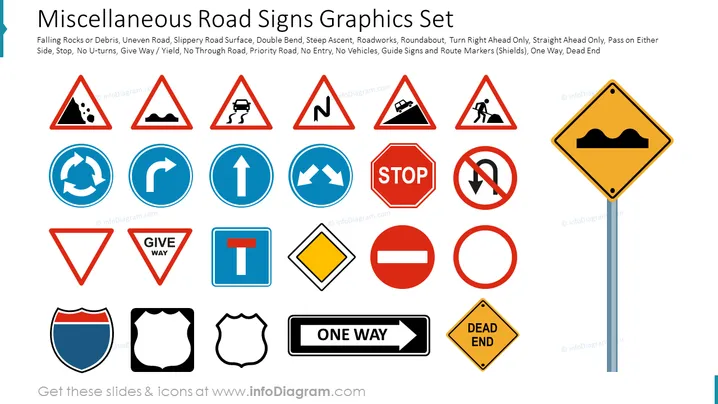
##Slide content: Collection of 24 road sign icons to add to your presentations. Add road signs graphs to show the obstacles and difficulties your project encounter. Having such a presentation with universal symbols will make it look appealing and easier to understand for every audience. You can resize the symbols without losing the quality; if you don't know how we included detailed instructions for those who have no designing skills. Add them next to a short description as a representative icon. You can download and use them in Google Slides and Keynote too. We have predesigned slides in store for you, to save you time. Click on the picture to see the whole Road Signs Infographics PowerPoint Template.
##Slide infographic description: Falling Rocks on Debris, Uneven Road, Slippery Road Surface, Double Bend, Steep Ascent, Roadworks, Roundabout, Turn Right Ahead Only, Straight Ahead Only, Pass On Either Side, Stop, No U-Turns, Give Way/Yield, No Through Road, Priority Road, No Entry, No Vehicles, Guide Signs and Route Markers (Shields), One Way, Dead End, Road Signs Icons
How to Edit
How to edit text & colors

How to expand / shorten diagram

How to Replace Icons in infoDiagram PPT


