
Reviews
Your graphics add a nice touch to my presentations and I recently used them for one of my all-hands meetings. Your toolbox adds professionalism to my slides. Instead of using standard clipart.
I needed a fresh look at some of my slides. I've tried to find a way to create a paintbrush effect, to underline, accentuate, add some color and the handwritten markers were just the things. Very easy to use, easy to size, change the color. It was an affordable, perfect solution and I'm happy to recommend it.
The crisp, clean look of the graphics, and the fact that it allowed me to easily edit and change the colors to match the template was my main reason for purchasing them.
Description
Map of Mexico
Slide Content
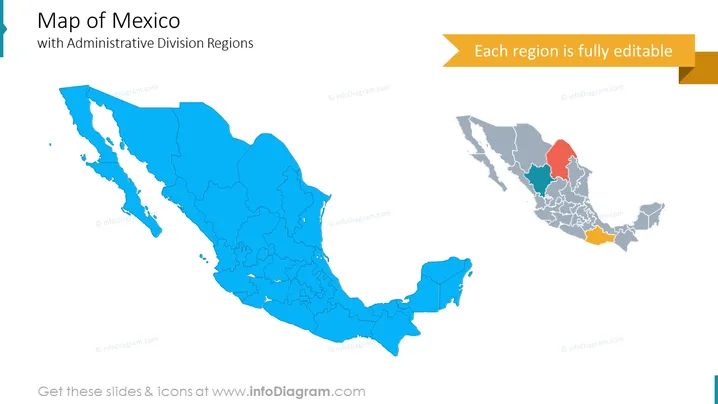
The PowerPoint slide features a title "Map of Mexico with Administrative Division Regions," followed by an editable map graphic that depicts the country of Mexico and its regions. Each region on the map is distinguished by outlines, but a few regions are highlighted in different colors to suggest a focus or categorization of some kind. The highlight suggests that the slide can be customized to target specific regions for discussion or analysis.
Graphical Look
- Two large images of the map of Mexico dominate the slide, with one on the left in a solid blue color and one on the right featuring gray and a few colored regions.
- The title is in a large, bold sans-serif font, aligned to the top-left corner.
- A caption at an angle states "Each region is fully editable" in a ribbon-shaped callout box with an orange background.
- The division outlines within the maps are detailed and make each Mexican state distinguishable.
- The slide has a clean and modern look with a minimalist design, using color to draw attention to specific areas of the map.
The overall look of the slide is professional and visually appealing, with a clear emphasis on the ability to customize the map regions. The color differentiation on the right side of the map provides an immediate visual cue to focus on certain areas.
Use Cases
- To present geographical data related to business expansion, market research, or sales territories within Mexico.
- For educational purposes, like teaching geography or explaining the administrative divisions of the country.
- In government or NGO presentations to illustrate regions of focus for projects, initiatives, or aid distribution.
- During strategic planning sessions where visualizing location-based strategies or resources is beneficial.
How to Edit
How to edit text & colors

How to expand / shorten diagram

How to Replace Icons in infoDiagram PPT


